Forum Discussion

Extract Data from three data tabs based on an If, Index, Match Formula

Thanks for your reply.
https://1drv.ms/x/s!AoD5K4waScfenzZAUw5k6Inwz06g?e=YrGaxk
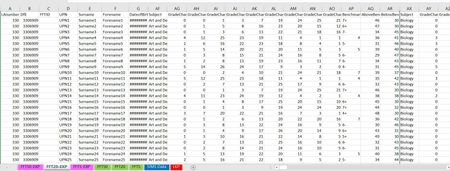
Here is the link to the file. In the tab called SIMS data there are pupil subject choices. A number 1 under the corresponding subject heading means that they study that subject. In the tab called FFT DATA there are targets for the pupils. However the targets are for every student regardless of whether they study the subject. In the tabs FFT50, FFT20 and FFT5, I would like to take the values from the FFT Data sheet under headings relating to the subject, for example the first subject is Art and Design and the three values for this subject i would like to take the grades from are Art and Design_FFT50_G, Art and Design_FFT20_G and Art and Design_FFT5_G and have the grade copy over for the corresponding subject in sheets FFT50, FFT20 and FFT5 but only if the student studies that course. However i would only like to take the number value and not the +/- after the number. And then repeat this for all other subjects.
Does this make sense?

Does this make sense?
Yes, but more often No!
You appear to be asking for THREE values to be taken from the FFT Data sheet for each person who has a "1" under Art in SIMS Data yet there's only one cell for each student in FFT50 or FFT20 for Art.
Your description is good, but general. Make it specific to a single student or two. Could you take ONE student ID, UPN1 for example, and work through specifically (in words) what values you'd want for UPN1 to appear, from where and into which spot, and why or how those values are selected for that single student.
By the way, although I understand that you want 3 instead of 3+ (etc), why not just use the numbers in the adjacent column to the first decimal place? That would be more accurate. And easier.
And maybe take your workbook for the sake of solving the question at hand, and eliminate those columns and sheets that are not immediately relevant. Create a simple workbook, in other words, to make it easier to focus; what you have should be saved to apply the formula once created, but at present (at least to this outsider) it's overwhelming with its many many many parts.
- Lakhvear_SinghNov 27, 2022Copper Contributor
That’s right because there will only be one in FFT50 and one in FFT20 as they are two different target grade types. I will upload another file to one drive which was how i used to do it. Hopefully it will become easier to understand and less overwhelming.
The data in this version came in seperate files from the source for FFT Data for each FFT50, FFT20 and FFT5. If you look at the FFT20 sheet it does exactly what i would like but that worked because the export for FFTDATA source had different headings.
I can’t use the values in the column you suggest as they are of a different grade type that is required.
- Lakhvear_SinghNov 27, 2022Copper Contributor