Forum Discussion

excel
 Mar 09, 2023
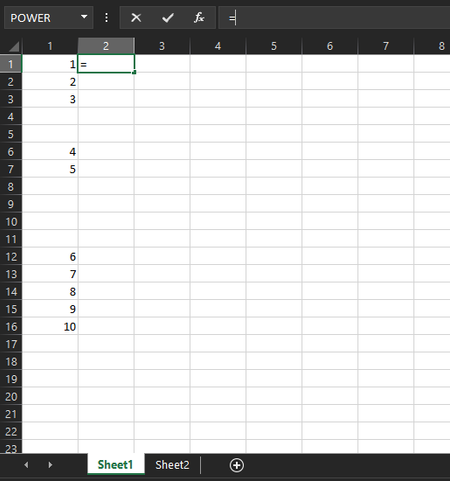
=IFERROR(INDEX(Tabelle2!$A$1:$A$10,SMALL(ROW(Tabelle2!$A$1:$A$10),A1)),"")Does this return the expected result? Enter the formula with ctrl+shift+enter if you don't work with Office 365 or Excel 2021.


- MindreVetandeMar 14, 2023Iron Contributor
I' nut sure what you want. But you can try this to get a list of all the values in column A in either Sheet1 or Sheet2
=LET(list,VSTACK(Sheet1!A1:A100,Sheet2!A1:A100),UNIQUE(FILTER(list,list<>"")))VSTACK() stacks the values from the A-column in both sheet1 and sheet2. Filter and unique removes duplicates and empty cells
If you put the formula above in cell C2 you can use this i D2 (to get values from Sheet1)
=XLOOKUP(C2#,Sheet1!A1:A100,Sheet1!A1:A100,"")And this in E2 (to get values from Sheet2)
=XLOOKUP(C2#,Sheet2!A1:A100,Sheet2!A1:A100,"")C2# means we want the formula to fill down as many rows as the result in C2
or use COUNTIF() to get a count instead (if there are duplicates)
=COUNTIF(Sheet1!A1:A100,C2#)
=COUNTIF(Sheet2!A1:A100,C2#)I'm not sure if i understand what you wants. Ask again if i missunderstand your question.