Forum Discussion

Excel Wenn(Und -> Status aktualisieren
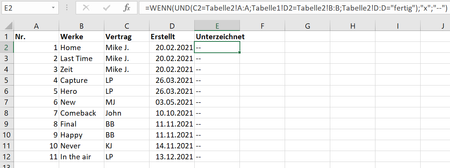
 Mar 31, 2022
=IF(NOT(ISNA(VLOOKUP(Tabelle1!C2&Tabelle1!D2&"fertig",Tabelle2!A:A&Tabelle2!B:B&Tabelle2!D:D,1,FALSE))),"x","--")=IF(NOT(ISNA(MATCH(Tabelle1!C2&Tabelle1!D2&"fertig",Tabelle2!A:A&Tabelle2!B:B&Tabelle2!D:D,0))),"x","--")It seems to work with VLOOKUP or MATCH. Enter the formulas with ctrl+shift+enter if you don't work with Office365 or 2021.

OliverScheurich after applying the formula to my actual file, I noticed that excel has slowed down significantly. I'm sure it's because there are over 10,000 rows in one table and over 3,000 in the other, so quite a lot of data.
Is there any way to make the formula stop automatically once all criteria match once? Or maybe there is another way to speed up Excel despite the formula?
=IF(NOT(ISNA(MATCH(Tabelle1!C2&Tabelle1!D2&"fertig",Tabelle2!$A$2:$A$10000&Tabelle2!$B$2:$B$10000&Tabelle2!$D$2:$D$10000,0))),"x","--")This formula works quickly in my sheet. I adjusted the search matrix to the actual size of the spreadsheet.
The difference is that the search matrix in this formula is from row 2 to 10000: Tabelle2!$A$2:$A$10000&Tabelle2!$B$2:$B$10000&Tabelle2!$D$2:$D$10000 .
In the other formula the search matrix is from row 1 to row 1048576:
Tabelle2!A:A&Tabelle2!B:B&Tabelle2!D:D .