Forum Discussion

Excel VLOOKUP (RECHERCHEV) help
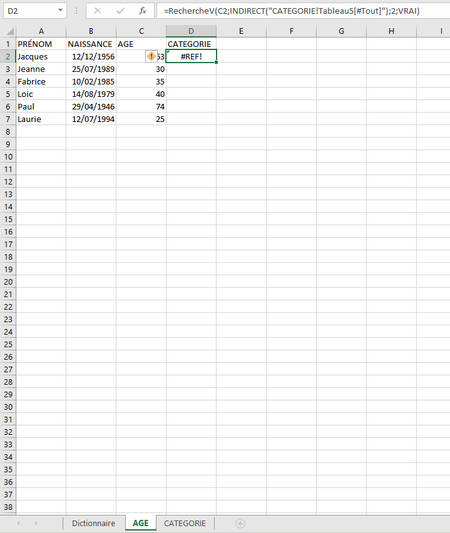
- May 12, 2020
Taytoutay Have a look at the attached file. Couldn't see that you first table is also a structured table. It becomes a bit different then, but I could build the formula just by pointing at C2 and it automatically becomes [@AGE], which means "the value in this row in the column named AGE".

What do you mean by same type of data ?

Taytoutay By "data types" I mean that if the lookup value (i.e. C2) is a number, the first column in "Tableau5" must also contain numbers. The may look like numbers, but perhaps they are in fact texts. If so, VLOOKUP will return an error #NA!
- TaytoutayMay 12, 2020Copper Contributor
Riny_van_Eekelen Thanks for your response, but after verification, it seems like it already is a number in both cases. And the formula still sends me to "#REF". 😕
I'm joining the file. Could you check what's wrong please ? If you have time of course. 🙂
I just changed the table name by "cat".
Thanks for your help
- Riny_van_EekelenMay 12, 2020Platinum Contributor
Taytoutay Have a look at the attached file. Couldn't see that you first table is also a structured table. It becomes a bit different then, but I could build the formula just by pointing at C2 and it automatically becomes [@AGE], which means "the value in this row in the column named AGE".
- TaytoutayMay 12, 2020Copper ContributorYou solved it thanks ! I didn't know about the @AGE thing, you learn me something ! Thanks a lot ! 😄