Forum Discussion

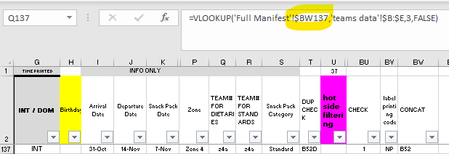
Excel, Table converted to Range, formula's don't work correctly
- Oct 31, 2021
To fix this, go to the first cell with the formula in column Q and double click the fill handle (bottom right corner of the cell), which will fill down and overwrite the existing formulas down the rows and fix the relative references.

To fix this, go to the first cell with the formula in column Q and double click the fill handle (bottom right corner of the cell), which will fill down and overwrite the existing formulas down the rows and fix the relative references.
 skeeta56Oct 31, 2021Copper Contributor
Subodh_Tiwari_sktneer thanks for your quick response. have done your recommended action and can confirm that this has been able to fix the issue i was experiencing
- Subodh_Tiwari_sktneerNov 01, 2021Silver Contributor
You're welcome skeeta56! Glad it resolved the issue.
Please take a minute to accept the post with the proposed solution as a Best Response to mark your question as Solved.