Forum Discussion

Excel tab is not moving to next cell
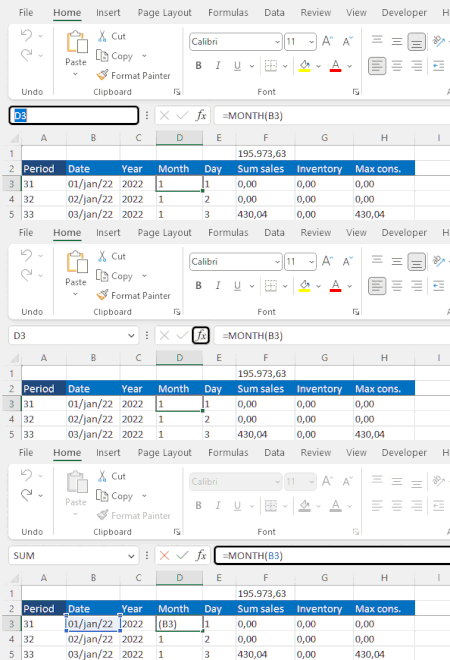
 Feb 10, 2023Found the solution.
It was something related to the LG OnScreen software that comes with LG ultrawide monitor.
Uninstalled and the problem is gone.
Thank you all who spent time checking this post and trying to find a solution.
Hi NikolinoDE
• Tab key not working only in Excel?
» This behavior occurs only in Excel. In all other apps, everything is fine. I have also tried a different keyboard and there was no change.
• Sheet protection in worksheet?
» No protection. It happens even in blank new sheets or files.
• Scroll button active? If yes, disable.
» What is scroll button? Is it scroll lock? If yes, it is disabled. Tried enabling and didn't work. Tried disabling again and still doesn't work.
Thank you

Additional questions: does this only happen in a specific file or in all files in Excel?
Which Excel version, operating system, storage medium is it?
If it is in all files, I would do the following steps in advance.
Perform an update, then a repair, then start in safe mode, then deactivate all add-ins.
Then = if the previous step didn't work.
If all this does not help, it would be an advantage if you insert the file (if it is only about one file and without sensitive data please).
Thank you for your understanding and patience 🙂
- amgelcerJan 26, 2023Tin Contributor
Hi NikolinoDE
• Does this only happen in a specific file or in all files in Excel?
» It happens in all files, even in blank new ones.
• Excel version» 365 MSO - Version 2302 Build 16.0.16124.2000 - 64-bit
• Operating system» Windows 10 - Version 22H2 Build 19045.2486
• Storage medium» Don't know whether this is what you are looking for, but it is running in a SSD. Files are stored in the same SSD.
• Perform an https://support.microsoft.com/en-us/office/how-do-i-upgrade-office-ee68f6cf-422f-464a-82ec-385f65391350, then a https://support.microsoft.com/en-us/office/repair-an-office-application-7821d4b6-7c1d-4205-aa0e-a6b40c5bb88b, then start in https://support.microsoft.com/en-us/office/open-office-apps-in-safe-mode-on-a-windows-pc-dedf944a-5f4b-4afb-a453-528af4f7ac72, then deactivate all https://support.microsoft.com/en-us/office/add-or-remove-add-ins-in-excel-0af570c4-5cf3-4fa9-9b88-403625a0b460.» There is no change
• It would be an advantage if you insert the file
» It is not for just an specific file. The behavior is the same in all files.Thank you again.
- NikolinoDEJan 26, 2023Platinum Contributor
•Perform an update, then a repair, then start in safe mode, then deactivate all add-ins.
» There is no change what do you mean by no chance?
...isn't it possible?..have you tried it?
Additionally: Unchecked alternative movement keys?
Where?
File -> Options -> Advanced -> Lotus Compatibility -> alternative movement key (tick Out)
If that didn't help either, then unfortunately I can't help any further.
What I can still recommend at the end is to contact Microsoft Support.
Thank you for your understanding and patience
I know I don't know anything (Socrates)
- amgelcerJan 27, 2023Tin Contributor
Hi NikolinoDE,
I meant there is no chanGe. Even updating, running in safe mode, and disabling add-ins, the unusual behavior is still there.
I didn't mean no chanCe. I sure tried what you suggested.
First update...
... then run in safe mode...
... then disable add-ins.
All Lotus compatibilities are unchecked.
However the unusual behavior is still active.
I really though there was something in settings to adjust tab key behavior, like there is a way to control what the enter key does.
Anyway, thank you for your time and attention. If I find the solution, I will post here.