Forum Discussion

Excel Sheet Copy/Insert but Keep cells
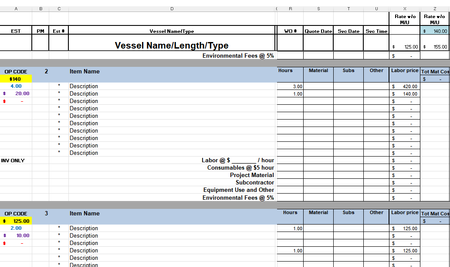

Without more details, it's hard to know exactly what's happening. But it almost certainly involves that relative vs absolute referencing, which is what the $ sign deals with. Here's a reference that might help you diagnose; that link goes to a description of "relative reference," and there's one on that page regarding "absolute." You'll want to read both.
That the $A$63 stays unchanged when that formula is copied is exactly what the absolute reference is supposed to do. If it's A$63 and you copy that from column B to column C, then the new formula will read B$63, because what the "relative A" was really saying. while in column B, was "that cell to the immediate left" and that's why in column C it turns into B$63. The $63 will stay 63 no matter where you go, but the A will turn into the column immediately to the left (again, assuming a starting point of column B)