Forum Discussion

Excel Power Query about time
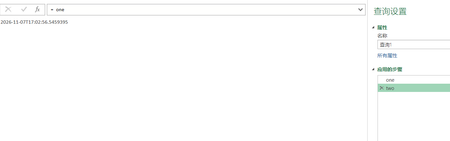

Your screenshots show two at 17:02:56 and one at 17:02:59, although two simply references one. Those separate editor previews are not a trace of one execution. Power Query can evaluate or cache step previews separately, and DateTime.LocalNow returns the time when evaluated. Function.InvokeAfter delays invoking its function by six seconds; it does not make later step previews a chronological log. To compare both values within one result, change the final expression to in [First = one, Second = two], then refresh that preview. Both fields reference the same value in that evaluation. If your actual goal is a consistent refresh timestamp, use DateTime.FixedLocalNow rather than repeated DateTime.LocalNow calls. The fixed value remains stable within a query evaluation, but a subsequent refresh can produce a new timestamp. Selecting another step can still involve another preview evaluation, so compare values together rather than comparing screenshots taken after separate clicks.