Forum Discussion

EzzEldean
Oct 06, 2022Copper Contributor
Excel Function
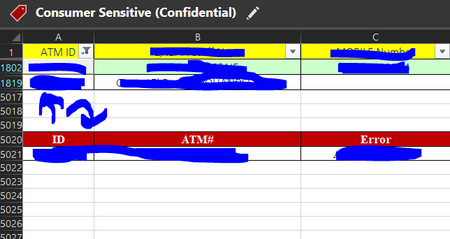
Hi Everyone, Hope everyone doing alright, Appreciate your advice and support with this one, As I have a sheet containing 5020 rows and all in filter mode so in the picture I want whenever I sel...
- Oct 06, 2022
Here is a version that doesn't require the FILTER function. You do need the dummy formula; it forces Excel to recalculate, triggering the code. You can hide the cell with the formula if you like.

EzzEldean
Oct 06, 2022Copper Contributor
First of All, Thank you so much for considering my request.
If you don't mind to explain the function to apply it in the picture I have sent like do I need to make a separate cell as a reference for the filter?, Like I need to enter the ATM Id in that cell instead of selct it from the main filter in column A?
Also if there is an alternative to the filter function as my version of excel doesn't support it yet
If you don't mind to explain the function to apply it in the picture I have sent like do I need to make a separate cell as a reference for the filter?, Like I need to enter the ATM Id in that cell instead of selct it from the main filter in column A?
Also if there is an alternative to the filter function as my version of excel doesn't support it yet

HansVogelaar
Oct 06, 2022MVP
Here is a version that doesn't require the FILTER function. You do need the dummy formula; it forces Excel to recalculate, triggering the code. You can hide the cell with the formula if you like.
- EzzEldeanOct 09, 2022Copper Contributorit's working I forgot to place the code in the sheet itself, not as a separate module.
Hans thank you again. - EzzEldeanOct 09, 2022Copper ContributorI do apologize for the late response, And really thank you so much for your help god bless you.
Sorry to bother you but if you could help me with something, It doesn't update automatically like your sheet the Code is working fine if I press run but not if I select the ID on its own.