Forum Discussion

Excel Function
- Oct 06, 2022
Here is a version that doesn't require the FILTER function. You do need the dummy formula; it forces Excel to recalculate, triggering the code. You can hide the cell with the formula if you like.

I don't know about others, but I don't understand your question. Could you try to explain it as clearly as you can?

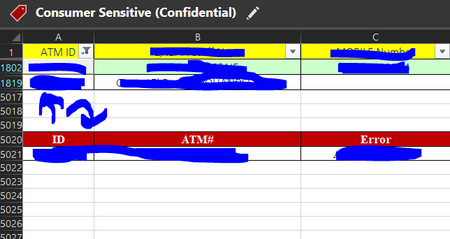
HansVogelaar Once I select ATM id from the filter I want the data from the red box above to be copied the same in the red box below in cells A5021& B5021.
What appears up I want it to appear below
- HansVogelaarOct 06, 2022MVP
Here is a sample workbook. It is a macro-enabled workbook, so you'll have to allow macros.
- EzzEldeanOct 06, 2022Copper ContributorFirst of All, Thank you so much for considering my request.
If you don't mind to explain the function to apply it in the picture I have sent like do I need to make a separate cell as a reference for the filter?, Like I need to enter the ATM Id in that cell instead of selct it from the main filter in column A?
Also if there is an alternative to the filter function as my version of excel doesn't support it yet- HansVogelaarOct 06, 2022MVP
Here is a version that doesn't require the FILTER function. You do need the dummy formula; it forces Excel to recalculate, triggering the code. You can hide the cell with the formula if you like.