Forum Discussion

Excel filter function - dynamic include column
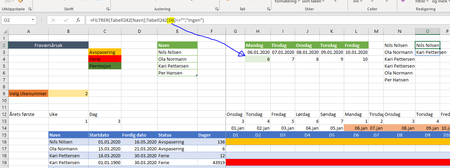
- Feb 15, 2020
Geir, I didn't tested, but something like
=FILTER(Tabell242[Navn];
   INDEX(Tabell242;;XMATCH("D" & H$4,Tabell242[#Headers],0))<>"";
   "No one")
shall work

Hello.
I need the opinion of an excel specialist in using the filter function.
I want from the search in 5 columns with numbers, on which dates or columns a specific number is included.
I’m' using the filter function but it does not give me results that I want, it gives me an error.
Can you tell me what I’m doing wrong?
Thank you in advance
I have attached the excel file

First, use frittered range and the filter of the same size (first starts from A1, another from B2).
Second, as a filter it shall be used not a matrix but single column array with equivalents of TRUE and FALSE.
As variant that could be
=FILTER(A2:G30,MMULT(--(B2:G30=12),SEQUENCE(6,1,1,0)))For the future, please ask new question with new conversation from here https://techcommunity.microsoft.com/t5/excel/bd-p/ExcelGeneral, that's not a good practice to mix different question in one thread.