Forum Discussion

Excel file size is OUT OF CONTROL
- Apr 03, 2024
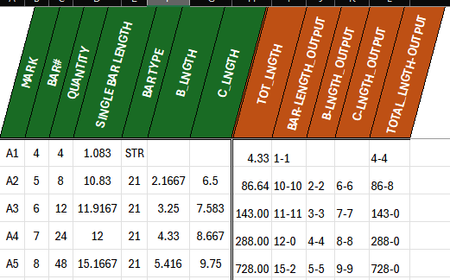
CDusty I reduced the file size from 6MB to 47KB by removing 'abusive' use of the FILTER function in the output sheet. That allowed me to get rid of all the named ranges spanning entire columns in the input sheet. By the way, I also made a small adjustment to the input sheet so that FILTER can spill across multiple cells into the output sheet, rather than cell by cell. Auto calculation is on and it calculates instantly.
Very likely that you can optimize even more, but I didn't go that far as the problem seems to be resolved by these minor adjustments.

CDusty Save the file in OneDrive, Dropbox or something similar and post the link that gives access to it here. And don't forget to mention which Excel version you use.

https://jcccedu-my.sharepoint.com/:x:/g/personal/cdusthi1_stumail_jccc_edu/EXtxQE4lXT5Pv6hxdqUDIzgBGf2VjZ3LotS5rsho4pp1Wg?e=KhNvgz
I believe this the most up to date Microsoft 365 Excel
- Riny_van_EekelenApr 03, 2024Platinum Contributor
CDusty I reduced the file size from 6MB to 47KB by removing 'abusive' use of the FILTER function in the output sheet. That allowed me to get rid of all the named ranges spanning entire columns in the input sheet. By the way, I also made a small adjustment to the input sheet so that FILTER can spill across multiple cells into the output sheet, rather than cell by cell. Auto calculation is on and it calculates instantly.
Very likely that you can optimize even more, but I didn't go that far as the problem seems to be resolved by these minor adjustments.
- CDustyApr 04, 2024Copper Contributor
Riny_van_Eekelen Thank you! Massively helpful!
And I learned something new 😄