Forum Discussion

Kondho
Oct 04, 2021Copper Contributor
Excel date function in wrong language
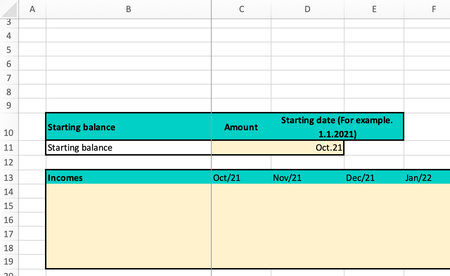
Hey! This is my first post on this website so please let me know if I posted this in a wrong place. I have this problem and I've been looking for the solution everywhere but I can't find any. ...

HansVogelaar
Oct 04, 2021MVP
Excel uses the computer's regional settings to determine what date formats look like. So you'd have to change your regional settings to USA or UK (this would also change your currency to $ or £, but you can change that back to €).
 KondhoOct 04, 2021Copper ContributorHey and thanks for a quick response.
Is that the only way to do this? I am afraid it would change other things on my computer based on the regional settings.- SergeiBaklanOct 04, 2021Diamond Contributor
You may change format in regional settings. I'm in UK setting, English UK language, change here format on Finnish:
and Excel shows custom format as
You may do an opposite - apply US or UK format. By default here is
- KondhoOct 12, 2021Copper ContributorThank you. I already tried that and change my excel settings to another country or language but it didn't help. As I stated, I am running Macbook so changing the language settings for Excel when using Mac is a bit different. But anyways, changing the language for Excel only didn't solve the problem. I guess the only way to solve the problem is to change the regional settings on my computer and deal with the other problems that come with that change. I would like not to change it but seems like there isn't any other solution.
Thank you!
