Forum Discussion

Excel: 2019 - Return STOP KILOMETER reading as START KILOMETER reading for new line in a table
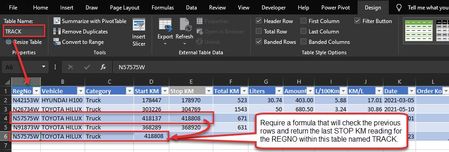

RaynoJ Dynamically look up the latest Stop KM from the Master table will not work as the TRACK table will then insert the same value in all rows for a particular vehicle.
The way to go would be to dynamically pick-up the highest Stop KM for a vehicle from the preceding rows in the TRACK table, using MAXIFS. The attached workbook does just that, although I have probably committed a great offence by giving up structured table references in the Start KM column.
To be honest, I don't really know how to fix that, but perhaps somebody else can.
Note also that you need to enter the first Stop KM for all your vehicles in the very beginning of the TRACK table. Otherwise, the Start KM formula finds no value.

Riny_van_Eekelen I get what you are saying in your very last sentence. Thanks for your input though, however, it is not exactly what I need. I will continue scouring the internet and hopefully pick up some tips and tricks on how to achieve what I require.