Forum Discussion

Entering the wrong profile
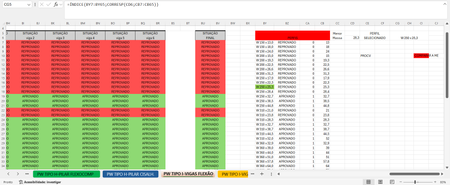

Could you attach a small sample workbook demonstrating the problem (without sensitive data), or if that is not possible, make it available through OneDrive, Google Drive, Dropbox or similar?

HansVogelaar I created the same situation in Google spreadsheet with the same name as the Excel function, if you could try I would appreciate it
https://docs.google.com/spreadsheets/d/10VLBcuXKYhj8hZQF4FbMfAhtglpqyFvMfYbjRQMTGE4/edit?usp=sharing
- HansVogelaarMar 02, 2024MVP
Thanks. In your sample workbook, the formula in J3 should be:
=MINIFS(H4:H62,F4:F62,"APROVADO")
=MÍNIMOSES(H4:H62;F4:F62;"APROVADO")
and the formula in M2:
=INDEX(E4:E62,MATCH(1,(F4:F62="APROVADO")*(H4:H62=J3),0))
=ÍNDICE(E4:E62;CORRESP(1;(F4:F62="APROVADO")*(H4:H62=J3);0))
In the MATCH part, we have to add the condition on APROVADO too. And we have to specify 0 as 3rd argument, because we want an exact match.
See the attached version.
- EduMaVieMar 02, 2024Copper ContributorThis function was very good, thank you for your help.