Forum Discussion

Dynamic Chart Depiction On Excel
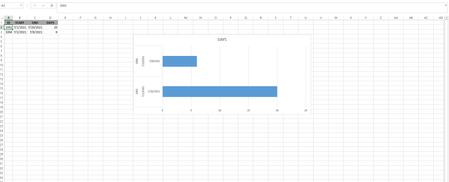

Riny_van_Eekelen No, that's fine. Let it be just 10. You can see there's a column days that's the difference of start and end date. I just want to check the days in the horizontal line increases one by one on date parameter. Say start date is 07/01/2021, so the chart increases to one in the horizontal line, then for 07/01/2021, it'll again progress to 2. Finally when it'll come to date 7/10/2021, then we'll see the line depicts on the horizontal line 10 (No more to go). So here, date will be tracked each time checking the excel file, I believe.

AT-2017 Is your problem solved now or do you still need something else? If not solved, I'm afraid I've lost you and just don't understand what you are asking for.
- AT-2017Jul 11, 2021Copper Contributor
Riny_van_Eekelen please see this sample and just check the id with 1002 as well Date in the right. When the date will change, the bar chart will increase one by one. Though no functionality is required to change the date, just on daily-basis (After 24 hours) the bar will be increased.
 Mathew_VaughanJul 12, 2021Copper ContributorI think I might know what you are meaning, I think you want to have the formula to mark progression between dates. Like the progress of a time-limited contract.
Here is the formula: =IF(AND(C2>I2,(I2-B2)+1>=0),(I2-B2)+1,(C2-B2)+1)
Put this should show the progression between the dates assuming the Date is representing today's date. Any dates that start before the "today's" date will show as 0.