Forum Discussion

Dynamic array and hard data.
- Sep 30, 2022
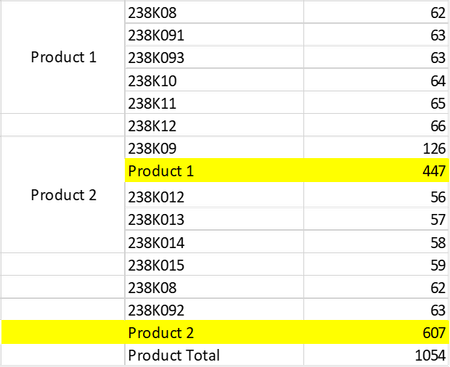
littlevillage I feel like you were on the right track. Merged cells are quite static and, as such, shouldn't be paired with dynamic arrays where the range will constantly change.
Since your dynamic array is based off the pivot table, I used a label filter to remove any id's containing product. Instead, I used the subtotal (as I noticed when I added additional rows to the source of the pivot table, obviously the values of product 1 & product 2, etc, would not update to reflect the new rows).
For the formatting, I used your approach with slightly different formulas:
Workbook is attached for your reference.
Hope this helps.
Dexter

littlevillage I feel like you were on the right track. Merged cells are quite static and, as such, shouldn't be paired with dynamic arrays where the range will constantly change.
Since your dynamic array is based off the pivot table, I used a label filter to remove any id's containing product. Instead, I used the subtotal (as I noticed when I added additional rows to the source of the pivot table, obviously the values of product 1 & product 2, etc, would not update to reflect the new rows).
For the formatting, I used your approach with slightly different formulas:
Workbook is attached for your reference.
Hope this helps.
Dexter

Thank you very much.
The OFFSET function is as key for the formula.
It actually worked.
Regards,
Phan.