Forum Discussion

Dax measures total mismatch in visual level
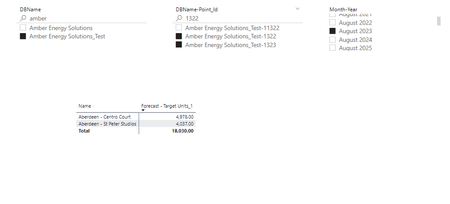
- Oct 19, 2024
Please try to open the file Portfolio Performance - v2.13 - Update 01.pbix

I modified the table a bit
Target Timeseries_1 =
SELECTCOLUMNS (
    GENERATE (
        TargetTimeSeries,
        DATESBETWEEN (
            Calendar_[Date],
            TargetTimeSeries[StartDate],
            TargetTimeSeries[EndDate]
        )
    ),
    "DBName-PointID",TargetTimeSeries[Point_Id],
    //"Usage", TargetTimeSeries[Usage],
    "Dates",Calendar_[Date],
     "ID", FORMAT( Calendar_[Date], "MMMM yyyy") & "=" & TargetTimeSeries[Point_Id],
    "DBName",TargetTimeSeries[DBName],
    "Usage Per Day", DIVIDE( TargetTimeSeries[Usage], TargetTimeSeries[EndDate] - TargetTimeSeries[StartDate] + 1 )

)
and created another measure
Forecast - Target Units_2-new =
VAR Actuals =
    SELECTCOLUMNS(
ADDCOLUMNS(
SUMMARIZECOLUMNS(
    Calendar_[Month-Year],
    Points[DBName-Point_Id],
    "Act", SUM( DataInvoice[Units] )

), "ID", Calendar_[Month-Year] & "=" & Points[DBName-Point_Id]
), [ID]
)

VAR  FilterTargets = FILTER(
    'Target Timeseries_1',
    NOT ( 'Target Timeseries_1'[ID] IN Actuals )
)

VAR Targets =
    CALCULATE(
        SUM( 'Target Timeseries_1'[Usage Per Day] ),
        FilterTargets

    )

RETURN
    Targets
Didn't test carefully, at least on some data both give the same result
On same data for existing measure
For new measure
As a comment, Calendar_ is not set as a date table and Auto date/time is ON in settings for this file. As result lot of hidden date tables in background. That also affects performance.

Hi SergeiBaklan ,
Thanks for your quick response sir!
Amazing dax solution! Well done! you have achieved what we couldn't sir!❤️ hats off to you!
Omg! performance wise it is absolutely unbelievable! 😍 That is a huge difference & impact!
When I try to copy your dax and test them it gives an error message as below:
Could you please send me the file that you modified so that i can test it with different use cases i have sir?
Many Thanks!
- SergeiBaklanOct 19, 2024Diamond Contributor
Please try to open the file Portfolio Performance - v2.13 - Update 01.pbix
- Excellove15Oct 19, 2024Iron ContributorExpecting your response on my above query sir!
I am confused what may be the issue with visual at my end as i am not able to see the values
Thanks in advance!- SergeiBaklanOct 20, 2024Diamond Contributor
I'm on
Error you have is explained here
Solved: SummarizeColumns() and AddMissingItems() - Microsoft Fabric Community
Introducing SUMMARIZECOLUMNS - SQLBI
In brief, we need to avoid SUMMARIZECOLUMNS() in measures and use SUMMARIZE() instead. Have no idea why there is no error in my case.
Anyway, I updated the measure on
Forecast - Target Units_2-new copy =
VAR Actuals =
SELECTCOLUMNS (
    ADDCOLUMNS (
        SUMMARIZE (
            DataInvoice,
            Calendar_[Month-Year],
            Points[DBName-Point_Id],
            "Act", SUM ( DataInvoice[Units] )
        ),
        "ID",
            Calendar_[Month-Year] & "=" & Points[DBName-Point_Id]
    ),
    [ID]
)
    VAR FilterTargets =
    FILTER(
        'Target Timeseries_1',
        NOT ( 'Target Timeseries_1'[ID] IN Actuals )
    )
VAR Targets =
    CALCULATE(
        SUM( 'Target Timeseries_1'[Usage Per Day] ),
        FilterTargets
    )
RETURN
    Targets
Both give the same result
Timing for the updated measure on above visual (without previous measure)
Updated file Portfolio Performance - v2.13 - Update 01.pbix
- Excellove15Oct 19, 2024Iron Contributor
Hi SergeiBaklan ,
Many thanks for your quick response sir!
However when i downloaded your file at my end it is showing the same issue:
I am using powerbi desktop version May 2024 update. Is it because of this i am not able to use summarisecolumn dax function? Which version of PBI desktop you have?
This is worries me!
Please advise!