Forum Discussion

Gekkouga
Nov 21, 2021Brass Contributor
Creating named range from cell values
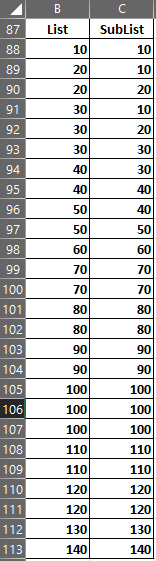
Hi, I have some lists and each of these lists has sub-lists. I am trying to create conditional data validated cells i.e. the validated list on the second cell should change depending on the value se...

Riny_van_Eekelen
Nov 21, 2021Platinum Contributor
Gekkouga I think you can do this without named ranges. The validation formula could look like this:
=INDIRECT(INDEX(references,MATCH(selection,list,0)))
where "references" is the array with applicable cell references for the sublists, "selection" is the list for which the sublist should be in the dropdown and "list" is the array with all the lists.
I didn't go though the trouble of replicating your schedule, but I did make a small example that demonstrates the principle. Perhaps it helps you to implement it in your own sheet.
Edit: Attached a new file.