Forum Discussion

creating a table/new work book that filters data

mathetes
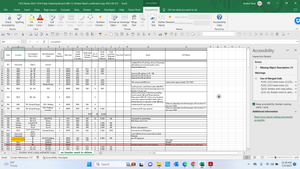
here is a copy of a previous years log record
we have since added onto it by sorting location alphabetically and we need to find a way to add previous years data to keep going historically or appened? so we can review previous years notes etc from that location and be able to print it out on a sheet for the guys in the field to easily view then a way to update the sheet for the day with new info after

The attached may be a step in the direction of what you've been wanting to do. I used the FILTER function to produce some output that takes all of the rows that pertain to a given location. In the yellow cell on the Filtered Data tab, you can select from the dropdown list any of the other locations to see how it could work. [If you can't see a big set of data extracted from your main data, that means you'd need to update/upgrade your software to be able to use this function.]
A couple of things need to be pointed out.
- The FILTER function itself, first of all, requires Excel 2021 or newer (a subscription to Microsoft 365 works too)
- You will benefit from cleaning up the data, making it into a valid Excel table. Such things as
- consolidating the two data sheets into one (it's not clear why there are two)
- eliminating blank rows
- making sure that locations are entered exactly the same (I suggest Data Validation be used)
- right now, for example, "West Pond" appears twice in the list of locations; that's because one of them is "West Pond" while the other is "West Pond " -- a space following, invisible to the human eye, but from Excel's point of view, that's a different location.
- Right now the FILTER formula (you'll find it in cell F2 of the "Filtered Data" tab; all of the rest of the data "spills" from that single cell) only uses a single criterion, that being location. It would be possible to fine-tune that so it selected, for example, a range of dates, or a selected type of Jetter Equipment. There's a lot of flexibility.
- mathetesMay 10, 2023Gold Contributor
I'd have to say that I don't see anything glaringly wrong in what you've written, but (as the expression goes), "the devil is in the details." And neither you nor I can know in the abstract what those details are going to look like.
The key to doing anything along these lines with the data you're working with is having
- a clean and consistent set of data. That's at what we might call the INPUT end of things.
- It's also crucial that you (your organization) be clear on what the expected OUTPUT is, i.e., the reports or results from all that data.
Whether all of that is present in what you've written, I can't tell from a distance. So I go back to the notion that you may need to work with an expert IT consultant closer to you, hopefully a part of the organization.
- Amber1023May 10, 2023Brass Contributorso i did some research and created a plan can you please let me know if this is a correct way of doing this and if theres anything else i need to do or help me get this figured out
I am going to make a new workbook that will be a running working copy and then create a master copy that will keep all historical data & use a macro to automatically sync and to the master copy going forward.
1.) find previous years sheets that have data i need in my new workbook
-create a sheet for each year of data and then in each worksheet create a table with the historical data from that year
-then create a separate worksheet that will become my master copy that will combine all historical data from each year
-sort it by location and then date to properly input it into my new workbook that will be organized based on location in alphabetical order making all data that will be on one long flowing sheet
-going to input using from other sources/get external data/from workbook (then possibly use formulas (index/match or ?? ) to transfer it to the new table i create for this sheet to contain all historical data
-then i will use power query to transform the data into the new sheet unless there's a better option
-add in formulas that will calculate each area location by the area, and then a running calculation by the job for that area and possibly a total by year for that area
-create a master and "working" copy so the guys can add in a new row when they need to add in data and add formula to automate transferring the historical data to be synced to the master copy which stores all data and is not altered using (macros?)
i was told to use structured references or dynamic ranges, absolute cell references to keep formulas accurate and up to date
Please let me know if this sounds correct or where i am wrong and if thats the order of doing this task