Forum Discussion

Florida710
Jan 16, 2024Copper Contributor
Created a table and trying to link to to other table in the workbook
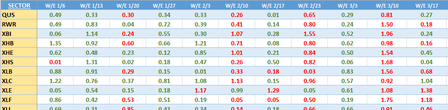
I am having excel formula/function writers block!!! I am a student trying to work on a spreadsheet that has a "Data" tab of inputted weekly averages (table 'WeeklyAvgs'). The stump that I am having...

HansVogelaar
Jan 16, 2024MVP
Try replacing
WeeklyAvgs[[W/E 1/13]:[W/E 1/5]]
with
INDIRECT("WeeklyAvgs[[&$C$1&"]:["&$C$2&"]]")
 Florida710Jan 16, 2024Copper ContributorWhat is the meaning of the use of the &?
- HansVogelaarJan 16, 2024MVP
& concatenates text strings. For example "A" & "B" returns "AB".
- Florida710Jan 16, 2024Copper Contributor
Thank you! That has it working. To get the previous week to automatically update, would I use the OFFSET function to step it back a cell on the table?? Or, do I have that wrong?
- HansVogelaarJan 16, 2024MVP
Would it be very unpleasant to update the cells for the previous week manually?
- Florida710Jan 17, 2024Copper ContributorIts not necessarily unpleasant, but onehas to manually update the YTD, 12 week, previous 12 week, weekending, and previous weekending - 5 manual steps. I would just like the previous 12 week and weekending to auto populate based off the updated w/e period.
In a perfect world, I would like to just input the new weekending data and the 12week and YTD would autoadjust respectively.