Forum Discussion

Countif(s) problem
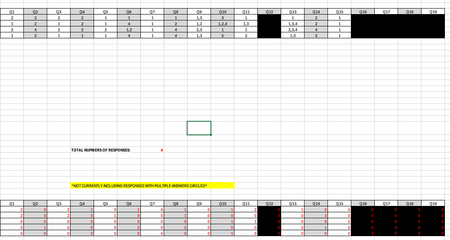

That looks more straightforward than my solutions! The 'simple' one was
= LET(
      textMatches,  COUNTIFS(column, "*"&seq&"*"),
      valueMatches, COUNTIFS(column, seq),
      count, textMatches + valueMatches,
      count
    )
To get the whole lot as one spill range (requiring nested arrays)
= EVALTHUNKARRλ(BYCOL(data, LAMBDA(column,
    LET(
      textMatches,  COUNTIFS(column, "*"&seq&"*"),
      valueMatches, COUNTIFS(column, seq),
      count, textMatches + valueMatches,
      LAMBDA(count)
    )
  )))
COUNTIFS was a problem when it came to picking up both 1, the number, and "1" in a text string.

Nice use of thunks, Peter. They are definitely versatile. ;)
Working with your sample file, yet another example could be:
=LET(
    colϑ, BYCOL(data, LAMBDA(x, LAMBDA(x))),
    crtϑ, BYROW(HSTACK(seq, "*" & seq & "*"), LAMBDA(x, LAMBDA(x))),
    MAP(IFNA(colϑ, crtϑ), IFNA(crtϑ, colϑ), LAMBDA(col,crt, SUM(COUNTIFS(col(), crt()))))
)
While this method doesn't involve stacking or indexing, the total number of iterations is significantly higher than yours (rows * columns instead of just columns). With a larger output array, I believe your example would indeed prove to be more efficient.
Working with the op's layout, and using Hans' concept, GROUPBY is also a possibility:
=LET(
    data, DROP(TRIMRANGE(B4:U24), 1),
    qId, SEQUENCE(, COLUMNS(data)),
    aId, SEQUENCE(, 5),
    grp, TRANSPOSE(GROUPBY(VSTACK("Answer", TOCOL(IFNA(qId, data))), VSTACK(aId, --(ISNUMBER(SEARCH(aId, TOCOL(data))))), SUM, 3, 1)),
    hdr, TAKE(grp, 1),
    VSTACK(IF(ISNUMBER(hdr), "Q" & hdr, hdr), DROP(grp, 1))
)
To the best of my knowledge, TRIMRANGE is still only available on the Insider Beta Channel. For testing purposes, I've created my own TRIMRANGEλ custom function in the attached file. Fair warning, though, it is not as robust as what I expect the native function will be, so it should not be used with entire sheet column references.
- PeterBartholomew1Jan 30, 2025Silver Contributor
David, I think you are more versatile that I when it comes to building solutions! Though I am coming to recognise some of your more regular tricks such as the IFNA(colϑ, crtϑ). I played which the formulas, firstly to understand them, but also to see whether I could improve the 'readability index'. For example
=LET(
    data, TRIMRANGE(DROP(table,1)),
    colϑ, BYCOL(data, THUNK),
    crtϑ, BYROW(HSTACK(seq, "*" & seq & "*"), THUNK),
    rtn, MAP(BCAST(colϑ, crtϑ), BCAST(crtϑ, colϑ), LAMBDA(col,crt, SUM(COUNTIFS(col(), crt())))),
    rtn
)
The first line avoids any direct cell references showing on the worksheet. The second and third make the intent clear by using the function THUNK which I usually have lurking in the background. The forth uses a simple wrapper function to rename IFNA to capture the actual intent. Then I changed it and reverted to your older form of broadcasting
BCAST = LAMBDA(u, v, IF({1}, u, v));All a case of going round in circles, but it helps me familiarise myself with content.
One thing that I have notice in my own work is that, increasingly, thunks are becoming a 'go to' rather than an 'avoid if at all possible'. Gradually all my formulas are climbing into named Lambda functions (a formula is just a function without its clothes on). This is not as apparent on the forum because answers that require digging though several layers of definition are harder to present. The thunk, I think of as a simple reference to a previously calculated array, like a ticket to an item of left luggage. Thunks can and are built into arrays which can be filtered, sorted, searched etc. without having to replicate the content (which may be massive) at each step of the process.
Now, all I need is for JoeMcDaid to come up with a native version of EVALTHUNKARRλ and I will be happy. I was pleased with the achievement of using bisection as a way of evaluating arbitrary arrays of thunks efficiently, but it is never going to compete with compiled imperative code that would be the inbuilt version.
A version of Excel MAP helper function that will return an array of arrays