Forum Discussion

COUNTIFS by Month Excluding Year
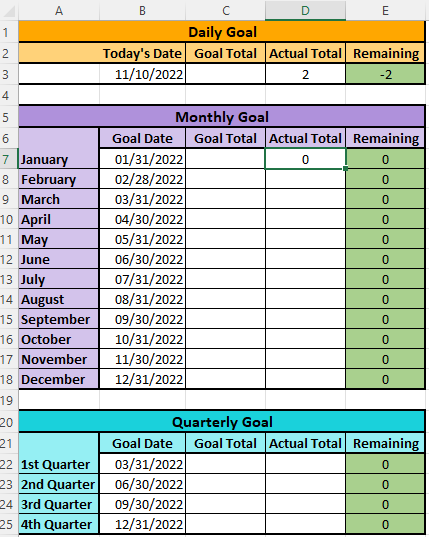


You raise a good question. Let me back up a bit. What you have shown is the end report (minus those monthly counts); what you've NOT shown is the raw data from which those monthly counts will be taken. Could you give us a glimpse of how that data is arrayed?
There may be yet another way to accomplish this, using COUNT or COUNTA and FILTER.
And there may be other ways still. [One of the delightful, if sometimes confusing, things about Excel is that there are often multiple ways to get from A to B.]
- busymamabeeNov 11, 2022Tin Contributor
I'm fine with multiple ways if I can just find one that works consistantly! It seems like every other time I try to set up a new sheet, I can't use a prior way to get to the updated information I need (because that would be way too easy, of course)
Here is the tab that I'm pulling the data from. Specifically, the dates are the ones listed in Column F (named Closed).