Forum Discussion

Rodgie22
Jan 21, 2025Copper Contributor
COUNT UNIQUE VALUES WHILE FILTERING
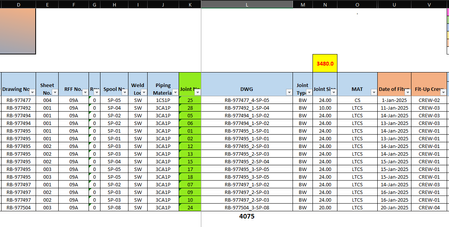
Hi, I need some help regarding my file. I have managed to count total unique values in column L which is 4,075, however if I apply filter on the dates that are not blank, it still showing t...

Kidd_Ip
Jan 22, 2025MVP
Take this:
Create a Helper Column: Let's assume column M is your helper column. In cell M10, enter the following formula and drag it down to apply to all relevant rows:
=IF(ISBLANK([DateColumn]), "", [ValueColumn])
Replace [DateColumn] with the column that contains your dates, and [ValueColumn] with the column that contains your values (column L in your case).
Use an Array Formula: Now, to count the unique values in the helper column M, use an array formula. Enter the following formula in any cell:
=SUM(IF(FREQUENCY(IF(M10:M12194<>"", MATCH(M10:M12194, M10:M12194, 0)), IF(M10:M12194<>"", MATCH(M10:M12194, M10:M12194, 0))) > 0, 1))
Make sure to press Ctrl+Shift+Enter to enter it as an array formula.