Forum Discussion

Conditional formatting with adjacent cells
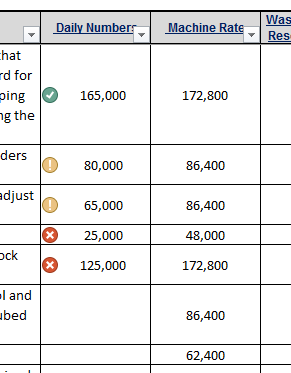

Hi James,
If the rule is the same format painter shall work. For example, that is done by format painter:
 James UrbanskiOct 02, 2017Copper Contributor
Thank you. I appreciate your attempting to help me.
Let me better explain what I require:
In cell I3, i want to use the conditional format based on the value of J3.
I then want I4 to apply the same formula based on the value of J4. The same for I5 and J5, and so on.
I can use the format painter to apply the formula in the coulumn "I", but it will apply the formula only based on the value of J3.
I hope this provides more clairity of the situation, and I am grateful for the help. -James
- SergeiBaklanOct 03, 2017Diamond Contributor
Hi James,
I see. The workaround is to use offset, which gives the reference on next column and current row. Not sure what's your formula, could be like
=0.67*OFFSET($J$3,ROW()-3,0,1,1)
and apply it to your entire range. row()-3 returns first row in your range.
 wwoodsFeb 13, 2019Copper Contributor
I've attempted this solution but with the formula using $J$3 as an absolute reference in the Conditional Formatted formula, how can it be applied to the cells beneath such as J$4$, J$5$, etc?
For example, here is the range of the entire column I wish to format following the formula in cell P4.
In order to apply the same formatting to all cells in the same column, the formula would have to be relative such that the formula would change depending on the cell being formatted. However, I keep getting this error when attempting to use a relative reference.
How do I over come this challenge?