Forum Discussion

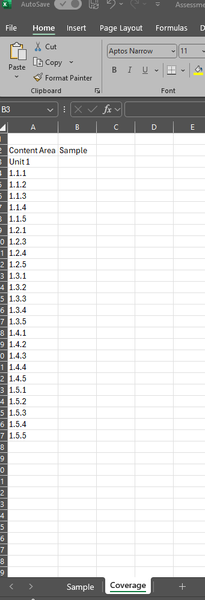
Conditional formatting to highlight a cell if a certain value appears in another sheet
- Oct 24, 2024
Sheet names that contain spaces or punctuation must be enclosed in single quotes:
=COUNTIF('Paper 1'!$B:$H, A3)You can also do the following:
In B3:
=COUNTIF(INDIRECT('"&B$2&"'!$B:$H"), $A3)This can be filled or copied down and to the right.

Select B3:B27. B3 should be the active cell in the selection.
On the Home tab of the ribbon, click Conditional Formatting > New Rule...
Select 'Use a formula to determine which cells to format'.
Enter the formula
=COUNTIF(Sample!$B:$H, A3)
Click Format...
Activate the Fill tab.
Select a fill color.
Click OK, then click OK again.
 JoeWilson5Oct 24, 2024Copper Contributor
Thank you so much, how would I replicate for other sheets? eg the same thing for for multiple tabs and multiple columns?
I tried copying the formula and replacing 'Sample' with 'Paper 1' but it came up with an error message so assuming I did something wrong!
- HansVogelaarOct 24, 2024MVP
Sheet names that contain spaces or punctuation must be enclosed in single quotes:
=COUNTIF('Paper 1'!$B:$H, A3)You can also do the following:
In B3:
=COUNTIF(INDIRECT('"&B$2&"'!$B:$H"), $A3)This can be filled or copied down and to the right.
- JoeWilson5Oct 24, 2024Copper Contributorthank you so much, got it all working across all of the sheets now!