Forum Discussion

Anna-ChrystieL
Sep 03, 2024Copper Contributor
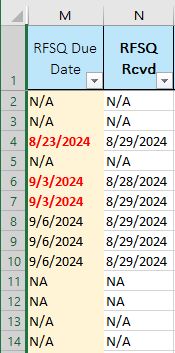
Conditional Formatting based on the date of another column
Hello! Not sure if this is possible.. I have a rule that changes the due date (column M) text to bold red text if it is passed today's date (see rule below, Cell Value <=TODAY()), this rule works...

E_Whitby
Sep 03, 2024Copper Contributor
Could you try something like =ISNUMBER(N2), with formatting back to automatic?