Forum Discussion

SamMitchell515
Jul 19, 2022Copper Contributor
Conditional formatting based off two variables - SOLVED
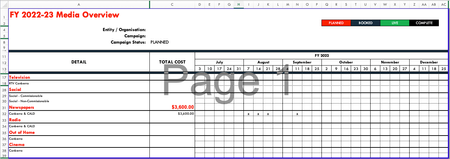
Hi! My first time posting 🙂 I have a complex Gant chart used for a marketing plan. Each channel (TV ect) connects to a tab and the x's on the page are a formula picking up from another tab when the...
- Jul 20, 2022
yes, that's possible:
First, highlight the whole range where the conditional formatting needs to be applied. In my example D17:H19
Then add a rule for every status, like this:
=AND(D17="x";$C$8="Booked")

SamMitchell515
Jul 20, 2022Copper Contributor
Hi Martin_Weiss
Thank you very much for your response. I tried your suggestions it's saying there is a problem with the formula:
This is what I put in the formula bar:
Am I doing something wrong?
Thanks
Sam

Martin_Weiss
Jul 21, 2022Bronze Contributor
Hi SamMitchell515,
most likely you just need to replace ; with , in your formula. This is due to regional settings (in Germany, we have ; as a separator)
So try :
=AND(D17="x",$C$8="Booked")
instead of
=AND(D17="x";$C$8="Booked")
- SamMitchell515Jul 21, 2022Copper ContributorIt worked!! Thank you very much Martin, I have been stewing over this forumla for a long time! haha