Forum Discussion

milo1234
Jun 11, 2021Brass Contributor
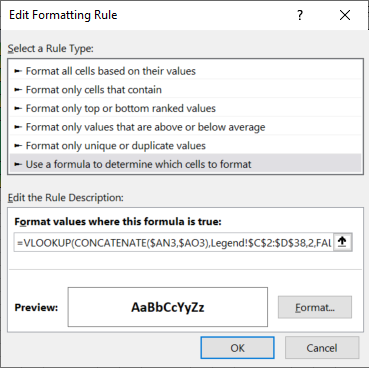
Conditional Formatting applying to old columns when new columns are copied and inserted.
I have columns that have conditional formatting applied using a CONCATENATE formula. When I copy and paste the new columns, the formula still uses the old columns and doesn't pick up the new ones. ...

milo1234
Jun 11, 2021Brass Contributor
Hi Hans,
Please can you explain the logic around this?
Will it only work if the column A is locked?
Please can you explain the logic around this?
Will it only work if the column A is locked?

HansVogelaar
Jun 11, 2021MVP
The formula refers to A3, not to $A3, so Excel will dynamically adjust it in other columns.
The formula first uses MOD(COLUMN(...),3) to check whether the cell is in a column that is to be formatted conditionally.
If so, it uses OFFSET in combination with MOD(COLUMN(...),3) to determine the two cells to be concatenated. For a cell in column A (or D or G etc.), it is the cell itself and the cell to the right.
For a cell in column B (or E or H etc.) is the cell itself and the cell to the left.
This makes the formula much more dynamic.