Forum Discussion

Conditional Format Formula
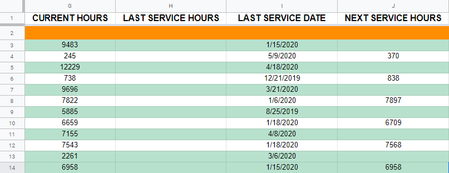

See if this solution points you in the right direction. Note that I used a different conditional format for each shade your using. The conditional formulas are identical except for the value of the shade. For the formula that I've moused over the shade = 0, next one up it = 25, then 50, 75...
Hope this helps!
One more thing to note, you can change the "=0" to ">=0" to catch items that are within a range, in this case 0 up to the value of the previous condition which would be 25.
- mtarlerJun 09, 2020Silver Contributor
SahuaroCon wouldn't it be easier to just add a column "Time Left" and do the conditional formatting on that? Then you see the remaining hours and you can easily use some nifty built in conditional formatting rules like "Format all cells based on their values" and you can do 2 or 3 color gradients, data bars that fill the cell like a fuel gauge, or icon sets.
xspJodymaybe I'm missing something but wouldn't you formulas be easier if you just used the '$' to lock the column i.e. =($E3=0)
- xspJodyJun 09, 2020Copper Contributor
"Absolutely. The reason I presented the solution as I did though is because the user did not have a column for this value. Since I have no way of knowing the full nature behind someones questions I try to present solutions that fit their style as much as I can."
"It may as well still be easier to add a column for this data and refer to it in their conditions as opposed to using the OFFSET function."
