Forum Discussion

Combining IFS formulas
 Nov 10, 2026
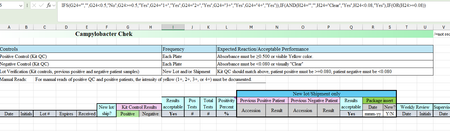
You can do it in one IF: test each column with OR, then join the two with AND. In I24:
=IF(AND(G24="",H24=""),"",IF(AND(OR(AND(ISNUMBER(G24),G24>=0.5),G24="1+",G24="2+",G24="3+",G24="4+"),OR(AND(ISNUMBER(H24),H24<0.08),H24="Clear")),"Yes","No"))
How it reads: if G24 and H24 are both empty, show nothing. Otherwise G passes if it is a number of 0.5 or more, or one of 1+, 2+, 3+, 4+. H passes if it is a number under 0.08, or Clear. It shows Yes only when both pass, and No otherwise.
The ISNUMBER parts keep the >=0.5 and <0.08 checks for numbers only, so a typed result like 1+ or Clear is judged only by its own text check.
If you'd rather leave I24 empty until both G and H are filled in, change the first AND to OR. And if you want a blank instead of No, replace "No" with "".
(Drafted with AI assistance; formulas tested before posting.)

another alternative (BTW to paste a multi-line formula make sure you paste directly into the formula bar or that you are editting the cell; if you only select a cell and hit paste it will paste across multiple cells):
=BYROW(G13:H25,LAMBDA(r,LET(a,INDEX(r,1),b,INDEX(r,2),
       IF(AND(OR(N(a)>=0.5,ISNUMBER(XMATCH(a,{"1+","2+","3+","4+"}))),
              OR(IFERROR(b<0.08, 0), b="clear"),
              a<>"",b<>""),
          "YES","NO")
)))
so this is an array formula that will act on a whole column of results (i.e. in this case all the value in the range G13:H25). If you don't want this type of formula or don't have a newer version of excel then you can just ignore rows 1 and 6 in the above formula and just use the IF statement on rows 2-5 and replace the "a" with the 1st cell and "b" with the 2nd cell.
This IF statement uses and AND of 2 OR groups (and also check if either are blank)
The 1st OR group (on line 2) checks if N(a)>=0.5 (the N() will return 0 if it isn't a number) and OR it with the XMATCH which will check if it is one of the options listed in that set.
The 2nd OR group (on line 3) checks if b<0.08 inside an IFERROR (this catches if the cell is text) and OR with if it is "clear"
On line 4 is the check to make sure both cells are NOT blank
line 5 then returns with "YES" or "NO"