Forum Discussion

Mezamir
Dec 24, 2024Copper Contributor
Color of the letter in a cell
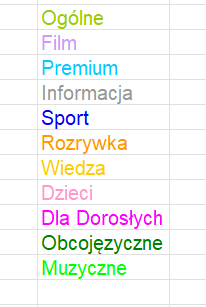
I have not used Excel for several years. Now, I have a problem reading the color code of a letter in a cell. – see the attached example. I think UDF will be a helpful solution, but I don't remem...
- Dec 26, 2024
For example:
Function GetColor(cell As Range, Optional ofFont As Boolean = True) As Long
    Application.Volatile
    If ofFont Then
        GetColor = cell.Font.Color
    Else
        GetColor = cell.Interior.Color
    End If
End Function
Use like this:
=GetColor(B2)
to get the font color, or
=GetColor(B2, FALSE)
to get the fill color.
Warning: the formula result will not be updated automatically when you change the color. Press F9 to force the formula to recalculate.

HansVogelaar
Dec 26, 2024MVP
For example:
Function GetColor(cell As Range, Optional ofFont As Boolean = True) As Long
    Application.Volatile
    If ofFont Then
        GetColor = cell.Font.Color
    Else
        GetColor = cell.Interior.Color
    End If
End Function
Use like this:
=GetColor(B2)
to get the font color, or
=GetColor(B2, FALSE)
to get the fill color.
Warning: the formula result will not be updated automatically when you change the color. Press F9 to force the formula to recalculate.

Mezamir
Dec 27, 2024Copper Contributor
Hi Hans
Thanks for your suggestions. I already wrote my function, but your proposal extends the functionality of the formula. Thanks again
Function GetColorIndex(VarRange As Range) As Long
GetColorIndex = VarRange.Font.ColorIndex
End Function