Forum Discussion

Amber1023
May 08, 2023Brass Contributor
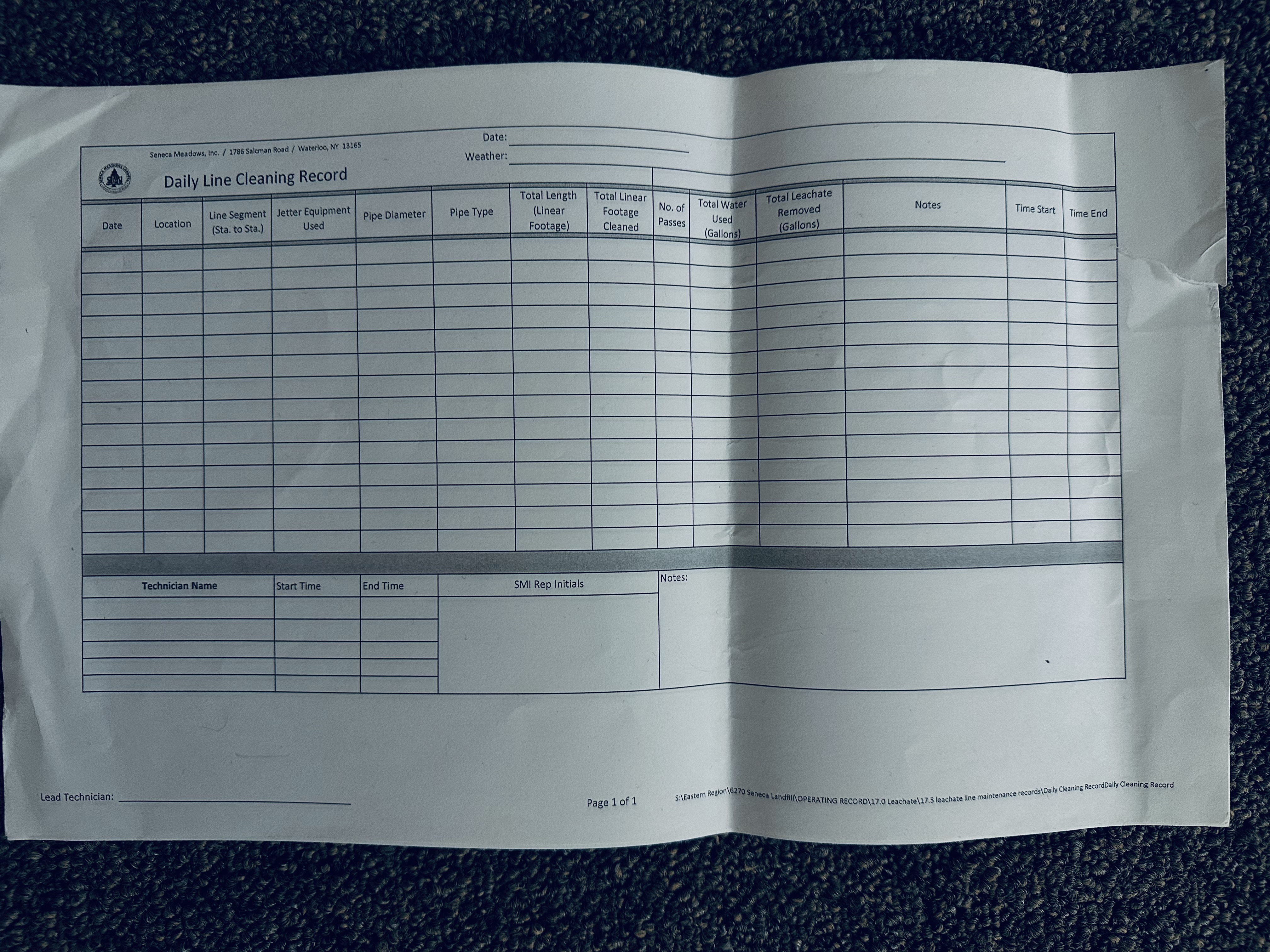
can i scan a printed page from a workbook then have the data imported into correct rows of sheet
I have a bunch of years data from a job. i need to get all the data from each time each year we did that job the info has been handwritten onto a print out of the blank excel sheet is there a...



Patrick2788
May 09, 2023Silver Contributor
It's difficult to say. The OCR can be unpredictable. In the very least, you can review the conversion before inserting the data in the sheet.

Amber1023
May 09, 2023Brass Contributor
i downbloaded microsoft lens and scanned it but how do i move it to excel
- Patrick2788May 09, 2023Silver Contributor
The features I mentioned above are available within Excel.
You could use Data | Get Data | From File | From PDF
or if it's a picture:
Data | Geta Data | From Other Sources | From Picture (Not all versions of 365 have this feature)
- Amber1023May 09, 2023Brass Contributorwill it put it into the columns for me or do i copy each column for each row and paste
- Amber1023May 10, 2023Brass ContributorPatrick2788
so i did some research and created a plan can you please let me know if this is a correct way of doing this and if theres anything else i need to do or help me get this figured out
I am going to make a new workbook that will be a running working copy and then create a master copy that will keep all historical data & use a macro to automatically sync and to the master copy going forward.
1.) find previous years sheets that have data i need in my new workbook
-create a sheet for each year of data and then in each worksheet create a table with the historical data from that year
-then create a separate worksheet that will become my master copy that will combine all historical data from each year
-sort it by location and then date to properly input it into my new workbook that will be organized based on location in alphabetical order making all data that will be on one long flowing sheet
-going to input using from other sources/get external data/from workbook (then possibly use formulas (index/match or ?? ) to transfer it to the new table i create for this sheet to contain all historical data
-then i will use power query to transform the data into the new sheet unless there's a better option
-add in formulas that will calculate each area location by the area, and then a running calculation by the job for that area and possibly a total by year for that area
-create a master and "working" copy so the guys can add in a new row when they need to add in data and add formula to automate transferring the historical data to be synced to the master copy which stores all data and is not altered using (macros?)
i was told to use structured references or dynamic ranges, absolute cell references to keep formulas accurate and up to date
Please let me know if this sounds correct or where i am wrong and if thats the order of doing this task