Forum Discussion

calculate over certain value
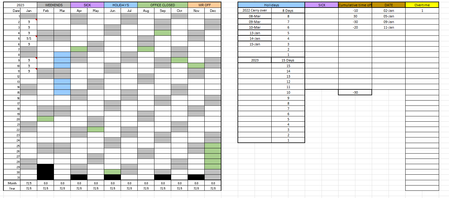

It's hard to give any specific solution without knowing what happens to daily entries now.
- Does it not already track overtime? (It would appear it does based on the top right corner.)
- Are you even authorized to modify this spreadsheet? Have you asked the company to make the change?
The formula to calculate the excess over 8 is fairly simple, but where it would be entered and the exact references to use...those depend on the spreadsheet itself.
=if(hoursworked>8,hoursworked-8,0)
or, if the number representing hours worked is in, say, cell B9, then
=IF(B8>8,B9-8,0) would be the formula you'd enter into the cell where OT for that day is to appear.

- mathetesJan 11, 2023Gold Contributor
Are you able to post a copy of the spreadsheet then, either to OneDrive or GoogleDrive, pasting a link here that grants edit access to anybody using it?
And if you could explain just a bit more clearly this statement:
the top right corner is where i am attempting the get the information i want every blank white cell to calculate to preferrebly one cell in the overtime column.
The direction from "every blank white cell" to "preferably one cell in the overtime column" is a bit ambiguous, and ambiguity doesn't serve us well when we're writing Excel formulas.
The easiest solution (and therefore clearest) might be to have one OT cell per day and then run totals for each month. In fact, one could just add a column to the main spreadsheet to contain that daily OT figure, rather than having it off to the side.
- Nathanw24Jan 17, 2023Copper Contributor
Thank you mathetes with your formula i came up to a round-about way to get to what a i needed.
Thank you again