Forum Discussion

Alex1100
Jul 26, 2024Copper Contributor
AutoSum by cell color
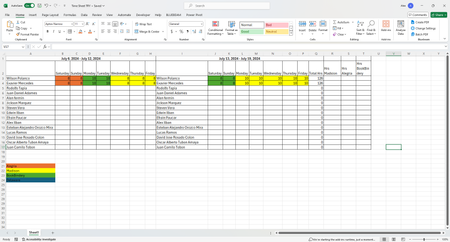
Hi All, I am trying to find a formula that lets me add the values based on the color of the cell. You can see i have 4 different colors that i'm using but just used three for this example. I w...

ShubhamD2450
Jul 26, 2024Copper Contributor
Hi,
There are 2 ways of doing it:
a. Using FILTER and SUBTOTAL formula - This will only work if you have a filtered view of the excel with cells filtered on basis of colors.
b. As there is no direct solution, the actual solution is using Visual Basic module under DEVELOPERS ribbon.
Create a function with below code
Function SumCellsByColor(data_range As Range, cell_color As Range)
  Dim indRefColor As Long
  Dim cellCurrent As Range
  Dim sumRes

  Application.Volatile
  sumRes = 0
  indRefColor = cell_color.Cells(1, 1).Interior.Color
  For Each cellCurrent In data_range
    If indRefColor = cellCurrent.Interior.Color Then
      sumRes = WorksheetFunction.Sum(cellCurrent, sumRes)
    End If
  Next cellCurrent

  SumCellsByColor = sumRes
End Function
After this use the formula as shown below
SumCellsByFontColor(data_range, font_color)
Where:
- Data_range is a range in which to sum cells.
- Font_color is a reference to the cell with the target font color.
For instance, to add up all the values in cells B1:F67with the same font color as the value in H3, the formula is:
=SumCellsByFontColor(B1:F67, H3)
Please mark is as correct answer if it works, or let me know in case of any queries