Forum Discussion

AGGP2022
Nov 29, 2022Copper Contributor
Auto Fill Data Formula
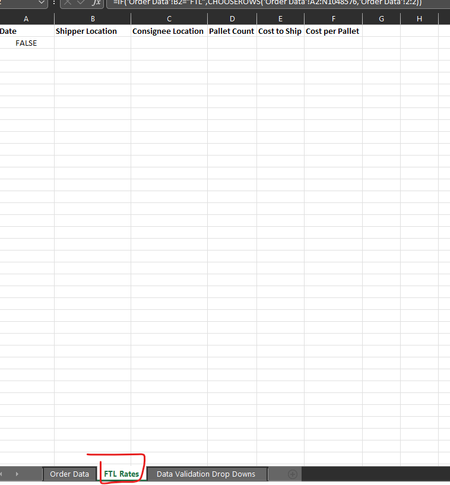
I am doing a lane analysis for freight work. I am looking at a way to automatically take data from one sheet, and based on the "type of data" automatically slot certain things per row into 5 separate...

mtarler
Nov 29, 2022Silver Contributor
so this can be easily done using the FILTER() function (assuming you have a modern excel). Basic format is =FILTER(dataTable, dataTable[Freight Type]="FTL","none")
this will pull all the columns but you can select specific columns using CHOOSECOLS like
=FILTER(CHOOSECOLS(dataTable, 2,3,4,6,12), dataTable[Freight Type]="FTL","none")
That said I also recommend you consider PivotTable as not only can it pull and filter your data but can also give you totals and subtotals and counts and many other calculations. And while I'm at it I could also recommend power query.
But the EASIEST of all is just define that data table as a TABLE (see home -> Format as Table) and then use the quick filters on the header column. Technically you can just go to Data tab and click Filter also.
As usual there are lots of ways to skin the cat in excel and depends more on what you need to do next as to which approach is best/most efficient/more flexible for the future.
this will pull all the columns but you can select specific columns using CHOOSECOLS like
=FILTER(CHOOSECOLS(dataTable, 2,3,4,6,12), dataTable[Freight Type]="FTL","none")
That said I also recommend you consider PivotTable as not only can it pull and filter your data but can also give you totals and subtotals and counts and many other calculations. And while I'm at it I could also recommend power query.
But the EASIEST of all is just define that data table as a TABLE (see home -> Format as Table) and then use the quick filters on the header column. Technically you can just go to Data tab and click Filter also.
As usual there are lots of ways to skin the cat in excel and depends more on what you need to do next as to which approach is best/most efficient/more flexible for the future.