Forum Discussion

Alternative formulas for expanding a column of row thunks.
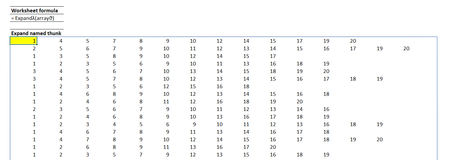
- May 08, 2022
Second variant is much faster. 200x90 array
Second variant gives approximately the same time on 1400x900 array
I tested on =SEQUENCE( n, m ) array and on slow PC.
First variant works on per-element basis, second one with arrays loaded into memory as one object. My guess.

Second variant is much faster. 200x90 array
Second variant gives approximately the same time on 1400x900 array
I tested on =SEQUENCE( n, m ) array and on slow PC.
First variant works on per-element basis, second one with arrays loaded into memory as one object. My guess.
- PeterBartholomew1May 09, 2022Silver Contributor
I have a suspicion that 'lazy calculation' (that seems to be the case for Thunks) causes the search and filter operations to be repeated for each evaluation along the row. It is easy to visualise the thunk as containing the values it wraps, but the reality appears to be that it contains the formulas that allow the values to be recalculated as needed. If the calculation is computationally expensive, one can easily get to trouble timewise!
- PeterBartholomew1May 08, 2022Silver Contributor
Thanks for that. It confirms my observations.
Apart from being slower, the first solution is growing as O(n²), so even at a couple of hundred rows it is passing into the unusable zone. The REDUCE and VSTACK should be good for over 1000 rows. Sad, because I liked the first solution.
I think that removing the nested arrays constraint should be rising to the top of the 'to-do' list. If not universally through Excel, at least for BYROW and BYCOL which should be able to stack arrays just like VSTACK and HSTACK.
- SergeiBaklanMay 09, 2022Diamond Contributor
In addition I tried to compare your second variant (sortRowsA below) with simple by row number iteration:
fnRow=LAMBDA( x, SORT( UNIQUE(x,1),,,1) );

sortRowsA=LAMBDA( array, fn,
    LET(
        fakeVector, LAMBDA( vector, LAMBDA(vector) ),
        setRow, LAMBDA(x, fakeVector(fn(x))),
        set2D,  BYROW( array, setRow  ),
    DROP(
        REDUCE( 1 , set2D, LAMBDA(a, v, VSTACK(a, v()) )
    ), 1)
));

sortRowsB=LAMBDA(array, fn,
REDUCE(
    "",
    SEQUENCE(ROWS(array)),
    LAMBDA(a, k,
        IF(
            SEQUENCE(k) = k,
            fn( INDEX(array, k, ) ),
            a
        )   )  )
);
On the same array average time of calculation
varA - 773 ms
varB - 1303 ms (i.e. two times slowly)
To compare, Solution 1 on the same array gives 57070 ms (or 57 sec) in average. That is huge difference.
 Patrick2788May 08, 2022Silver ContributorIs the Excel team considering lifting this constraint in the future?
- PeterBartholomew1May 09, 2022Silver Contributor
To underline SergeiBaklan reply the last information I had came from JoeMcDaid last September.
It was the first response to my discussion
When dynamic arrays appeared I was suddenly set free from the rigidity of CSE (many of my workbooks comprised nothing but CSE formulae are re-dimensioning used to be a nightmare. I rapidly found the lack of array breakup made accumulation difficult (corkscrews in finance) and having to use MMULT for row or column sums was painful. Now I have SCAN and BYCOL, I should be happy, but now the 'nested array problem' keep on rearing its head! Thunks do provide some sort of answer, but not one I would care to cover in a basic training course!
I think I would settle for BYROW and BYCOL acting as wrappers in which nested arrays were supported. With a but of luck that removes issues of backward compatibility because Excel 2016 does not support the functions anyway.
