Forum Discussion

anupambit1797
Dec 29, 2024Steel Contributor
All the rows after last "8" in PQ
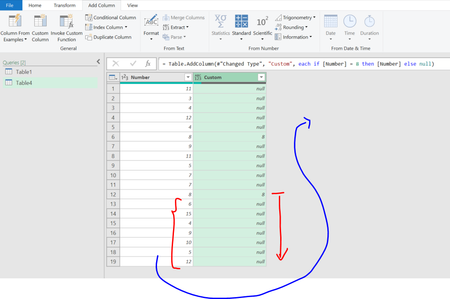
Dear Experts, Can you please help on how to get a column for all the elements after Last-8 in below Table ( not sure of we can use Table.LastN to do this, but without M-code:- ...

SergeiBaklan
Dec 30, 2024Diamond Contributor
I guess you need table with values after last 8 in Numbers, not column with above values and null before.
Not sure simple way with UI only exists. I'd modify a bit what OliverScheurich suggested by using Index, not Number in conditional column.
- Add Index column
- Add Conditional Column (if Number equal 8 then Index)
- Fill this column down
- Group By this column without aggregation
- Sort result descending and keep first row
- Keep only column with Data
- Drill table down
- Filter on first row with number 8
- Remove all columns but Number
With M-Code it could be much easier
let
    Source = Excel.CurrentWorkbook(){[Name="Tabelle1"]}[Content],
    Result = Table.RemoveFirstN( Source, List.PositionOf( Source[Number], 8, 1) + 1 )
in
    Result