Forum Discussion

lonnykoons
Apr 10, 2024Copper Contributor
Advanced Logical Linking Formulas in Excel
I have regenerated an older tracker that my company uses to track driver loads. My higher headquarters requires redundant reporting so rather than fill out multiple trackers that ask for the same dat...

lonnykoons
Apr 15, 2024Copper Contributor
Ok, so I did what you suggested but every cell in the range I pasted the formula above to, reads the same response.
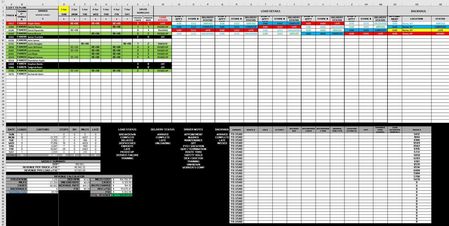
For example, S37 should be searching for the current route number (from the cell ranges: AU5:AU34, BE5:BE34, BO5:BO34, BY5:BY34, CI5:CI34, and CS5:CS34) and returning the CURRENT DATE AND THE FOLLOWING DATE for the corresponding truck # in cell AD37 (pulled from the cell ranges AR5:AR34, BB5:BB34, BL5:BL34, BV5:BV34, CF5:CF34, and CP5:CP34).
I have uploaded a filled in version of this spreadsheet to make it a little easier.
https://1drv.ms/x/s!Atgssv4HR3i6giDu0vSTlYWg8FMl?e=gjWcs6
For example, S37 should be searching for the current route number (from the cell ranges: AU5:AU34, BE5:BE34, BO5:BO34, BY5:BY34, CI5:CI34, and CS5:CS34) and returning the CURRENT DATE AND THE FOLLOWING DATE for the corresponding truck # in cell AD37 (pulled from the cell ranges AR5:AR34, BB5:BB34, BL5:BL34, BV5:BV34, CF5:CF34, and CP5:CP34).
I have uploaded a filled in version of this spreadsheet to make it a little easier.
https://1drv.ms/x/s!Atgssv4HR3i6giDu0vSTlYWg8FMl?e=gjWcs6

Yea_So
Apr 16, 2024Bronze Contributor
- lonnykoonsApr 16, 2024Copper Contributor500s, in this cell, represent the load batch number series that is being delivered on that day. Normally, Family Dollar loads 100s on Mondays, 200s on Tuesdays, 300s on Wednesdays, 400s on Thursdays, and 500s on Fridays; we in turn deliver the 500s on Mondays, 100s on Tuesday, so on and so forth.
- Yea_SoApr 16, 2024Bronze Contributor
Ok so I created a table for the loads in another sheet (combined),
Drivertbl, Equipmenttbl, and Loadstbl respectively.
The Loadstbl:
Then I used the formula:
=IFERROR(INDEX(Loadstbl,MATCH(CURRENT!AD37,Loadstbl[TRUCK '#],0),4),"")
- lonnykoonsApr 16, 2024Copper ContributorThat same information is already on the original spreadsheet in (MONDAY) cell range AR15:BA34. There is a cell range for each day of the week. Is there a reason that I cannot use the one in the spreadsheet?