Forum Discussion

Adding data ONLY when two cells match across sheets...
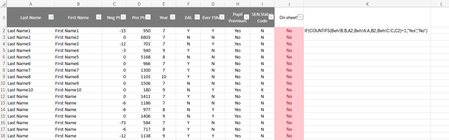

Apologies HansVogelaar if this has come through twice!
Thank you for the comment, it has really helped as I now see that column C was supposed to be matched to the E column (so E2 in the example above), which was why I was getting 'No' responses!!
Do you have any ideas on how to do the next part - pull the data across from Sheet 2 Export through to Sheet 1 Overview, please?
I am looking for the 'pos' and 'neg' points to pull through and correspond to the specified individual by their names - Sheet 2 columns C and D through to Sheet 1 columns J and K.
The formula on the sheet I am amending to work for this different purposes is:
- =IF(XLOOKUP(A6,'BI export'!A:A,'BI export'!B:B,"",0)=0,"",XLOOKUP(A6,'BI export'!A:A,'BI export'!B:B,"",0))
I can usually see the logic in formulas, but I can't wrap my head around how this is matching up names and year groups then dropping the data in the correct place (although I know it does work!!). Owing to this, I'm really struggling to amend it!!
- HansVogelaarMay 13, 2025MVP
In row 3:
=LET(result, XLOOKUP(A3&B3&C3, 'BO Export'$A$2:$A$1000&'BI Export'!$B$2:$B$1000&'BI Export'!$E$2:$E$1000, 'BI Export'!$C$2:$D$1000, 0), IF(result=0, "", result))
- KirstyMay 14, 2025Copper Contributor
I appreciate this, but unfortunately it is just coming up with a red box and stating that there is an error? I have amended the sheet name to ensure it fully matches, but it's not correcting the error :(
- HansVogelaarMay 14, 2025MVP
My apologies, my formula contained several typos.
=LET(result, XLOOKUP(A3&B3&C3, 'BI Export'!$A$2:$A$1000&'BI Export'!$B$2:$B$1000&'BI Export'!$E$2:$E$1000, 'BI Export'!$C$2:$D$1000, 0), IF(result=0, "", result))
