Forum Discussion

deniztopcu
Apr 05, 2023Brass Contributor
Added Total to header in pivot table
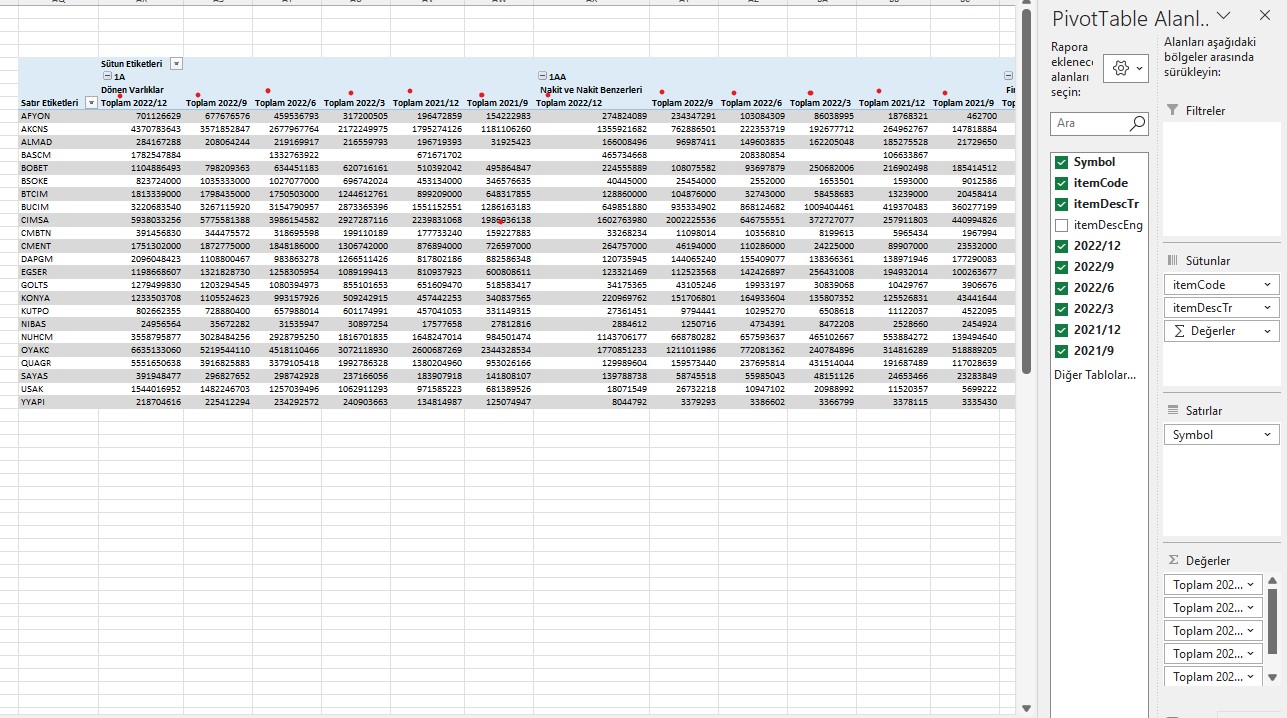
Hello, the titles that normally appear as short dates are preceded by the word "Total" in the pivottable. I have "Don't show subtotals" and "Grand totals off" in the design section. I looked at the ...
- Apr 07, 2023
In your case you just have to delete the last query step "Pivoted Column".
And then recreate the pivot table.

deniztopcu
Apr 06, 2023Brass Contributor
@DetlefLewin
this header field specifies the date.
so it doesn't make sense to write the total in front of it.
It doesn't make sense to delete and replace. My query is constantly being renewed.
this header field specifies the date.
so it doesn't make sense to write the total in front of it.
It doesn't make sense to delete and replace. My query is constantly being renewed.

Detlef_Lewin
Apr 06, 2023Silver Contributor
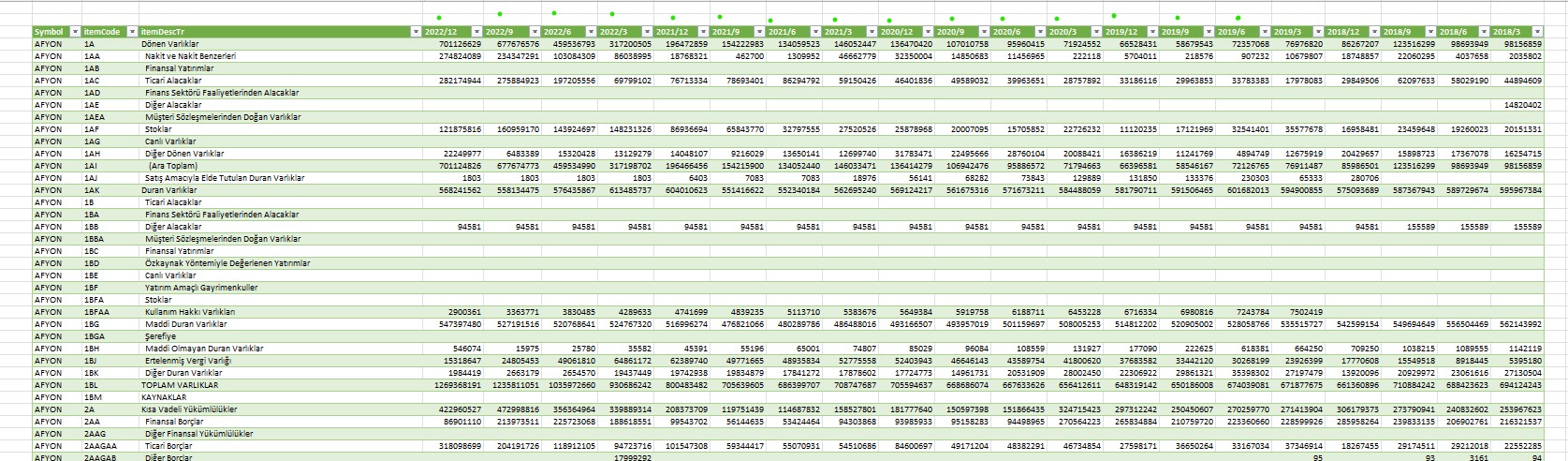
I understand the second picture is the query/source data.
Then you must change your query. It produces a crosstabular format which is not suitable for a pivot table. You need a record list.
To get a record list you have to unpivot the crosstabular format. This is provided by Power Query.
- deniztopcuApr 07, 2023Brass Contributor
Detlef_Lewin I don't know the process you are talking about. I'm sending my Excel spreadsheet. Can you implement the solution?
- Detlef_LewinApr 07, 2023Silver Contributor
In your case you just have to delete the last query step "Pivoted Column".
And then recreate the pivot table.
- deniztopcuApr 07, 2023Brass Contributor
Detlef_Lewin
As you said, the "total" text was deleted, but it also created its own problems.
The dates seem mixed.