Forum Discussion

CynthiaV
Mar 11, 2021Copper Contributor
Add printable background to custom calendar
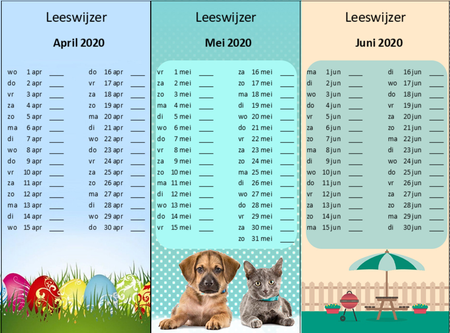
I work as a SLT and want to make a bookmark with a calendar where my clients can note down their reading time of that day. I made an automatic generated calendar in Excel from scratch, with a toggl...

JKPieterse
Mar 11, 2021Silver Contributor
I'm not sure I understand the problem. What exactly happens when you select a new year? For me, nothing shifts, just the days of the week change (expected).
NB: February shows March 1st in non-leap-years.
NB: February shows March 1st in non-leap-years.
 CynthiaVMar 11, 2021Copper Contributor
JKPieterse
In the Excel file everything works fine. The shifting happens in the Publisher/Word file where I inserted the Excel als object. When I click on the Excel object in Publisher/Word, change the year on page 1 and go back to the right page, the view of the Excel object in Publisher changes sometimes.
Is there any way to fix the Excel view in one place (like: show always cells A1 to X33, instead of shifting to other cells)?- JKPieterseMar 11, 2021Silver ContributorI think you should try to keep it all in excel. But instead of one picture over the area with the calendar, place the background picture somewhere out of the way. Then on top of that place a plain rectangular shape without a background fill and with no border. Select the shape, click once in the formula bar and type the = sign. Now select the calendar cells and press Enter. Fiddle around a bit until you get a nice overlap.