Forum Discussion

sruk89
Oct 25, 2023Brass Contributor
** HELP ** Multiple XLOOKUPS
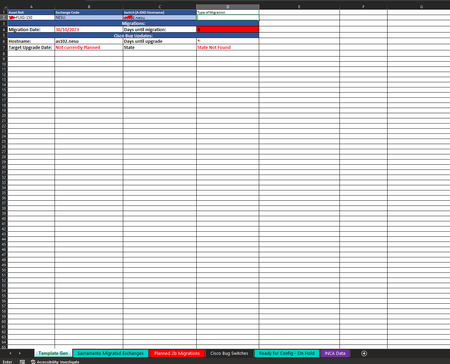
Hi HansVogelaar, You have helped me before with a similar request, so hoping you could help me out with this one too. The idea is the xlookup is referencing cell b2 and looking in the 3 tabs ...
- Oct 25, 2023
sruk89 That shouldn't be a problem since we look for the 2b migrations first. But the formula has to be modified for the planned migrations sheet (my mistake):
=IFS(ISNUMBER(MATCH(B2, 'Sacramento Migrated Exchanges'!A:A, 0)), "2b - Migrated", COUNTIF('Planned 2b Migrations'!B:J, B2), "2b Migration - Planned", ISNUMBER(MATCH(B2, 'Ready for Config - On Hold'!A:A, 0)), "2a Migration", TRUE, "-")

sruk89
Oct 25, 2023Brass Contributor
Hi Hans,
Slight oversight on my behalf looks like Ready for Config - On Hold Tab also contains the "Planned 2b Migrations" as well so can we change this formula so that if any of the codes in Column A are not found on the 2b Migration list then we can assume that this is a 2a migration?
Slight oversight on my behalf looks like Ready for Config - On Hold Tab also contains the "Planned 2b Migrations" as well so can we change this formula so that if any of the codes in Column A are not found on the 2b Migration list then we can assume that this is a 2a migration?

HansVogelaar
Oct 25, 2023MVP
Please explain more clearly, preferably with an example.