Forum Discussion

I just want to secure AI. DLP vs Info Protection vs DSPM vs Governance vs...

"helps you discover and classify sensitive data, apply consistent protections, and reduce the risk of data loss across Microsoft 365"
^^^ description for a solution that is NOT Data Loss Protection.
- nikkichappleMay 20, 2026MVP
Microsoft Purview can feel complex.
If you are looking at controls to minimise oversharing with Microsoft 365 Copilot and Copilot Chat then it depends on what licensing you have. Note that this applies to the enterprise versions, not the consumer Copilot.
The options are:
Available for all licences:
- Block content with sensitive data being shared with Copilot. Sensitive data is either the
out-of-the-box Sensitive Information Types Microsoft has defined, such as IT credentials, credit card data, etc., or your own custom SIT.
If you have E5 compliance or the Purview add-on for Business Premium, then you get additional functionality
- Block content labels with Purview sensitivity labels being uploaded or referenced by Copilot
- Block sensitive content based on SITs or labelled content being shared with third-party or consumer Gen AI apps in the browser
I have just written a blog on How to Deploy Microsoft Purview DLP for Copilot and Generative AI Deploy Microsoft Purview DLP for Copilot Security
Microsoft references
Learn about the default DLP policy for Microsoft 365 Copilot location | Microsoft Learn (available with all licences
https://learn.microsoft.com/en-us/purview/dlp-microsoft365-copilot-location-learn-about
Reach out if you need more information
- underQualifriedMay 21, 2026Iron Contributor
nikkichapple looking thru a slideshow you made available on this subject. In one of the early slides, you recommend DSPM as a 'one-click' setup for default AI data protection. Do you still recommend this? Does this implement DLP / sensitivity policies?
- cderJun 02, 2026MCT
Microsoft Purview is a comprehensive set of solutions that helps organizations govern, protect, and manage data wherever it lives. It includes more than a dozen capabilities organized around data security, data governance, and data compliance.
It can definitely be frustrating when getting started, especially if you try to follow the documentation directly from the portal. A good approach is to clearly identify the risks you want to mitigate, then map those risks to the appropriate Purview solutions.
Since your goal is to secure Copilot, I would suggest starting with DSPM as an entry point, then following the recommendations listed in the objectives page. This should also help guide your roadmap.
In addition to what nikkichapple already shared, I would recommend reviewing:
- The Oversharing Blueprint, which outlines the essential steps for establishing a secure and governed foundation for Copilot by remediating oversharing, implementing reliable guardrails, and supporting AI-related regulatory obligations. https://learn.microsoft.com/en-us/microsoft-365/copilot/secure-govern-copilot-foundational-deployment-guidance
- This Microsoft Purview blog on addressing oversharing risk:
https://techcommunity.microsoft.com/blog/microsoft-purview-blog/from-oversharing-to-enforcement-a-practical-guide-to-ai-data-security-with-micro/4513727 - The official Microsoft Purview documentation:
https://learn.microsoft.com/en-us/purview/purview
- underQualifriedMay 21, 2026Iron Contributor
Thank you! I'm trying to read the Microsoft-provided guides but.. my god, they are bad. E: I am only halfway thru, but this is written so much better than even an introductory Microsoft paragraph. So grateful!
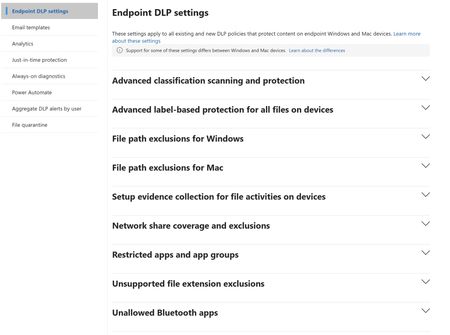
This link to the setup guide for DLP, brings you to THIS guide
which recommends that you do the data loss prevention guide (because this ain't it!) .... Following THAT link brings you to a DLP guide, which has this
so DSPM for AI (not DSPM) is a different thing from Information Protection, which is a different thing than Data Loss Prevention.... but they're also all kind of the same thing? It's feels like I'm just going around in a circle of marketing terminology. A circle it's recommended I turn into a line, to be prepared for Copilot - despite Copilot being rolled out whether anyone wants it or not.
So... yes, thank you for the article. I will give this a read. If it changes your suggestion, Our licensing: mostly Business Prem, with defender 365 and Entra. We are not Enterprise-sized, with the structure of our MSP. Only a couple of us are actually copilot licensed, until I can make sense of this. We have very few Purview-licensed tenants - those few are for data lifecycle management. Other than that, my Purview experience is limited to eDiscovery and Auditing. DerekMorgan2Jun 08, 2026Brass Contributor
The thread pointed you at the right tools, so let me cut through the names and tie it to your licensing.
- Information Protection = sensitivity labels (classify and protect).
- DLP = policies that act on labels and sensitive info types (block or warn).
- DSPM for AI = the posture dashboard and one-click setup that finds
oversharing and watches Copilot usage. It orchestrates the other three.
- Data Lifecycle = retention and records, unrelated to Copilot security.
On Business Premium you already have manual labels and DLP across Exchange, SharePoint, OneDrive, and Teams, plus the default DLP policy for the Microsoft 365 Copilot location (included on every tier). That's a real baseline.
What's not native: auto-labeling and DSPM for AI. Those need the Purview Suite for Business Premium add-on ($10/user/month).
One thing worth leading with: Copilot only surfaces what a user can already open, so fixing SharePoint and OneDrive oversharing does more than any single policy. Start there, label your sensitive sites, and switch on the Copilot DLP policy.
- Block content with sensitive data being shared with Copilot. Sensitive data is either the
