ai
2 Topics
I just want to secure AI. DLP vs Info Protection vs DSPM vs Governance vs...
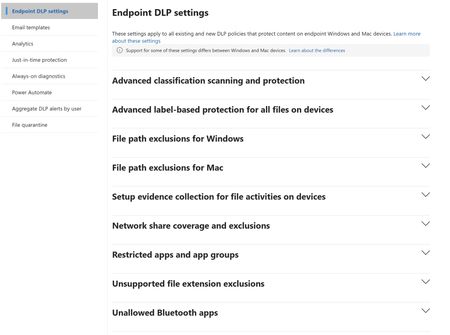
I'm with an MSP, and I've avoided Purview like the plague, because it seems to be suffering from the same 'made by marketing teams' 'strategy' the 365 documentation is. However, it's my understanding Purview policies are needed for Data control of Copilot. Here's my issue: all of these different 'solutions' sound like the exact same thing, but are pitched as if they are something different. i'm going to post a couple of descriptions for these 'solutions' to illustrate this. 'discover, label, and protect sensitive and business-critical info' 'make sure your organization can identify, monitor, and protect sensitive info across the expanding Microsoft 365 landscape' 'discover and secure all your sensitive data across Microsoft 365 and non-365 data sources' 'Discover, label, and protect sensitive and business-critical info across your multicloud data estate.' I genuinely do not have time to figure out what each of these 'solutions' are, then figure out their policies, then their giant library of settings (below)... It's not even clear to me what's active NOW, considering we never licensed Purview - but somehow have been roped into it. It SEEMS like these are all variations of marketing terms, which all point to 3-4 actual technical implementations in obscure ways. Can someone advise on the ACTUAL technical policies we want to target and enable? Or just give some clarity? I've never felt so overwhelmed or disconnected from Microsoft's environment. We just want to secure our tenant's AI usage.893Views1like9Comments
DLP Policy - DSPM Block sensitive info from AI sites
Having issues with this DLP policy not being triggered to block specific SITs from being pasted into ChatGPT, Google Gemine, etc. Spent several hours troubleshooting this issue on Windows 11 VM running in Parallels Desktop. Testing was done in Edge. Troubleshooting\testing done: Built Endpoint DLP policy scoped to Devices and confirmed device is onboarded/visible in Activity Explorer. Created/edited DLP rule to remove sensitivity label dependency and use SIT-based conditions (Credit Card, ABA, SSN, etc.). Set Paste to supported browsers = Block and Upload to restricted cloud service domains = Block in the same rule. Configured Sensitive service domain restrictions and tested priority/order (moved policy/rule to top). Created Sensitive service domain group for AI sites; corrected entries to hostname + prefix wildcard a format (e.g., chatgpt.com + *.chatgpt.com) after wildcard/URL-format constraints were discovered. Validated Target domain = chatgpt.com in Activity Explorer for paste events. Tested multiple SIT payloads (credit card numbers with/without context) and confirmed detection occurs. Confirmed paste events consistently show: Policy = Default Policy, Rule = JIT Fallback Allow Rule, Other matches = 0, Enforcement = Allow (meaning configured rules are not matching the PastedToBrowser activity). Verified Upload enforcement works: “DLP rule matched” events show Block for file upload to ChatGPT/LLM site group—proves domain scoping and endpoint enforcement works for upload. Disabled JIT and retested; paste events still fall back to JIT Fallback Allow Rule with JIT triggered = false. Verified Defender platform prerequisites: AMServiceVersion (Antimalware Client) = 4.18.26020.6 (meets/exceeds requirements).853Views0likes9Comments