Forum Discussion

All users receive "Your organization needs more information to keep your account secure" when logon
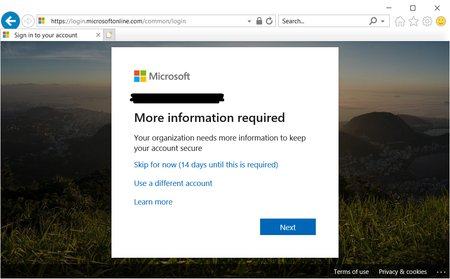
 Feb 11, 2020
Thank you for the hint.
Finally solved by:
Azure Active Directory > Properties
Manage security defaults
set Enable security defaults to No

We have this same issue. We use CA, no defaults are configurable. Out of nowhere users are getting hit with

I had same issue, using Intune to sign up a new user on a new PC. Got the AADSTS50192 message.
Then tried to login on an existing windows laptop via a browser, same issue.
After scratching my head for a while I figured it must be to do with the user needing to log in with MFA but no security info setup for the user, so they cannot log in with MFA.
1) Logged in as an Administrator to "Microsoft 365 Admin Center"
2) Selected *"Identity" under "Admin Centers" to Access "Microsoft Entra Admin Center"
3) "Microsoft Entra Admin Center" select "Users" > "All Users"
4) Select the relevant user
5) Under the user screen select "Authentiction Methods", enter an authentication method,
6) When complete press save icon.
User should now be prompted for additional data when logging in as there will be an authentication method available when logging in.
Suggestions to Microsoft
1) * Rename "Identity" to "Microsoft Entra Admin Center" in "Microsoft 365 Admin Center"
2) ** In "Microsoft 365 Admin Center", add method to enter user authentication method when setting up a user, setting up a user without it is pretty useless.