Copilot Studio agents are becoming more action-oriented and autonomous, and taking on more complex work. With agent user accounts, supported Copilot Studio agents can have their own Microsoft 365 account, directory profile, and org-chart relationship, and join Teams and Outlook with scoped permissions. Makers see a digital teammate; admins see a new actor whose access, data use, cost, and behavior must be governed.
Microsoft reports that 29% of employees have used unsanctioned AI agents for work, and 32% of surveyed organizations' data security incidents involve generative AI tools. How can admins enable agents safely without slowing makers down?
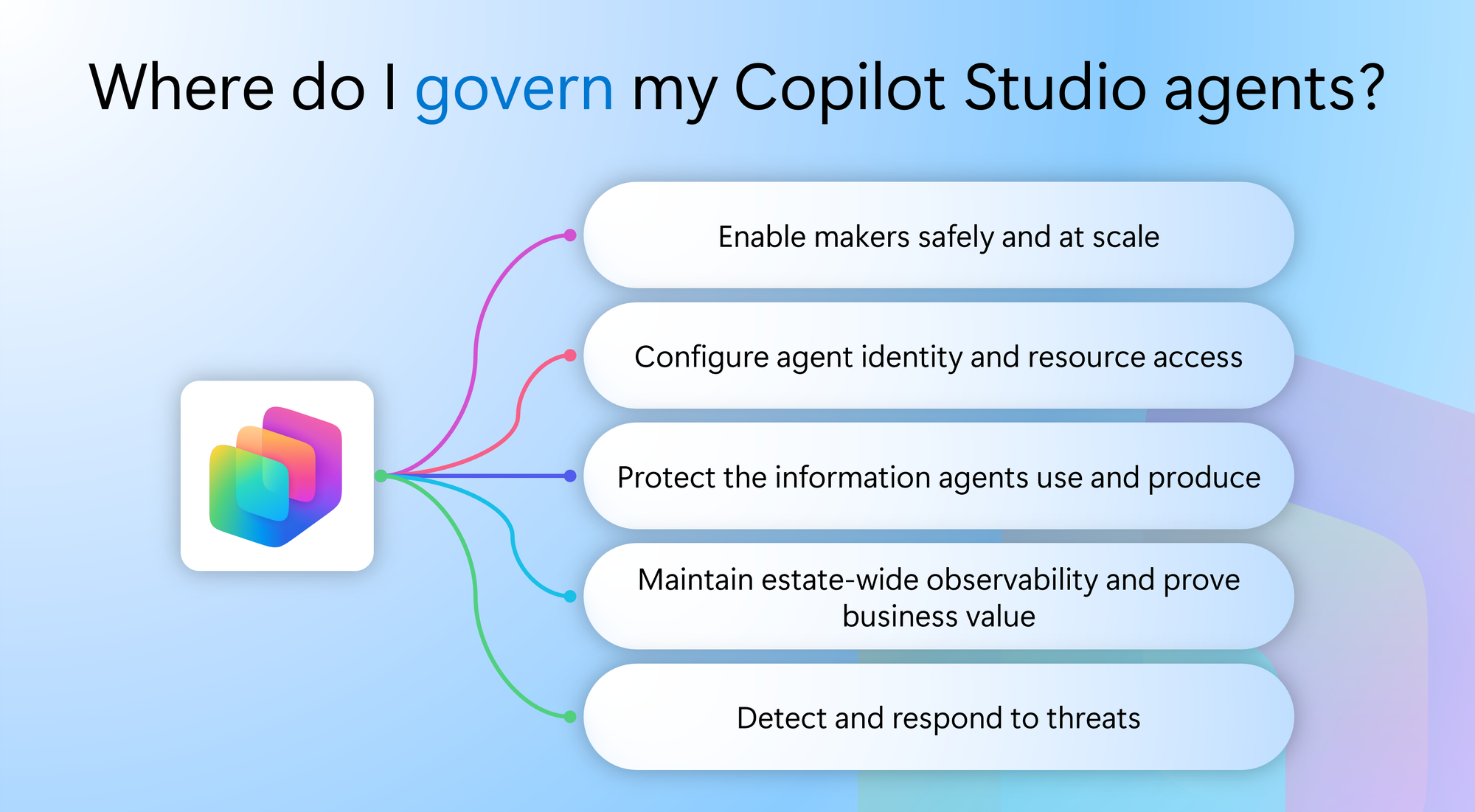
For IT teams, this creates a series of connected governance outcomes they need to achieve:
- Enable makers safely and at scale
- Configure agent identity and resource access
- Protect the information agents use and produce
- Maintain estate-wide observability and prove business value
- Detect and respond to threats
Each outcome has a lead, but no outcome stops where the next begins. Together, they help IT leaders organize their teams and give practitioners a clear view of the outcomes and controls they own. This blog walks through each governance outcome: who owns it, the challenges involved, and the Microsoft products that support end-to-end, layered governance.
Enable makers safely and at scale
Organizations need room for makers to experiment without allowing agents to sprawl. A single shared environment is difficult to govern consistently. On the other hand, requiring a separate approval for every early idea can slow adoption. The first governance job is to establish a path from personal development to broader deployment.
The Power Platform admin leads the environment strategy. The desired outcome is an administrated place to build, with consistent controls and clear requirements for moving an agent into team or production use.
In the Power Platform admin center, environment routing can give makers personal developer environments instead of placing everyone in the default environment. Environment groups and rules apply settings consistently across those environments, including advanced connector policies that allow only approved connectors and actions and block everything else by default. Sharing controls limit how agents are distributed and contain agent user account risk: an agent can only act through what its environment allows, so a least-privilege allowlist limits its reach even if its permissions expand. Maker-facing guidance makes these boundaries clear at the point of creation, and these controls continue to apply as agents move into wider use.
Directing makers with environment routing in the Power Platform admin center
Configure agent identity and resource access
As agents connect to systems and take actions, IT needs to know which identity is being used and what that identity can access. Permissions appropriate for an initial use case may become excessive as an agent gains new capabilities or connections. Agent user accounts make this question more visible, but identity and access governance applies more broadly.
The identity and access admin leads this job in Microsoft Entra. The desired outcome is that agent identities are identifiable, resource access is appropriately scoped, and access conditions and permissions can be reviewed as an agent’s use changes.
Microsoft Entra Agent ID provides capabilities to manage agent identities. Conditional Access for agents helps apply access conditions to supported agent access patterns. Identity admins need to distinguish between an agent identity, an agent acting on behalf of a user, and an agent user account: these patterns do not use or govern access in identical ways. Entra’s identity controls complement the environment and connector boundaries established in the Power Platform admin center.
Configuring access packages for agents in Microsoft Entra
Protect the information agents use and produce
An agent may have legitimate access to information without every use or disclosure of that information being appropriate. As agents connect to more sources and produce outputs for more people, IT needs to understand where sensitive data is exposed and whether existing protections cover the agent’s interactions.
The compliance admin and data security team lead this job in Microsoft Purview. Their desired outcome is to identify data risks, apply appropriate protections, and maintain visibility into how sensitive information is used across supported agent interactions. Those protections need to be reassessed as an agent’s sources, audience, or capabilities change.
Microsoft Purview Data Security Posture Management helps identify AI-related data risks. Classification, sensitivity labels, data loss prevention, and audit provide additional protection and visibility for supported scenarios. Coverage differs by agent and interaction type, so admins should verify which controls apply and include agent instances in relevant policies where required. Copilot Studio data policies remain a complementary platform control over connections and capabilities; they do not replace information protection.
This collective protection matters most for agents with user accounts. They don’t just act on behalf of a user or inherit delegated access; they have their own access and their own knowledge. AI agents can discover vulnerabilities faster than humans, making protection of underlying data more critical than ever. With their own access and permissions, agents with agent user accounts can introduce new risks of data oversharing and exfiltration.
Setting and managing sensitivity labels in Microsoft Purview
Maintain estate-wide observability and prove business value
As agents spread across teams and platforms, IT needs an estate-wide view of what exists, who owns it, how it is used, which agents need attention, and whether spend is tied to value.
The AI admin coordinates this view in Microsoft Agent 365, the observability platform for AI that provides a view of agents across the organization. The desired outcome is an agent estate IT can continuously observe and improve. Power Platform admins continue to manage environments for Copilot Studio and platform-specific controls.
Copilot Studio agents appear in the agent registry in the Microsoft 365 admin center, alongside Microsoft and non-Microsoft agents, with usage insights on by default. The agent map shows how each agent connects to users and tools, so IT knows where to look first.
From an agent’s details page, the AI admin reviews ownership, usage, and security signals, then routes findings to the right admin in Microsoft Entra, Microsoft Purview, or Microsoft Defender. Each admin acts in their own portal, with their existing permissions.
With tool governance, IT controls which plugins, skills, and connectors are available, and to whom, while cost management tracks Copilot Credit spend, with spending policies and alerts.
Agent 365 complements, rather than replaces, the controls in those products and the Power Platform admin center, while extending governance beyond Copilot Studio agents. Available information and actions vary by agent, publishing state, and tool type.
The agent map in Microsoft Agent 365 shows how an agent connects to users and tools.
Detect and respond to threats
Preventive guardrails cannot resolve every risk before an agent is deployed. Once agents are running, they face threats that look different from traditional attacks. A jailbreak prompt can trick an agent into ignoring its instructions. A prompt injection hidden in an email, document, or web page can redirect an agent to leak data or take action nobody intended. A compromised or overly broad connected tool can be misused to reach systems the agent was never meant to touch, and an unusual spike in an agent’s activity can signal that it is being abused. IT needs to identify the affected agent, determine what happened, and act across the relevant controls.
The security admin and Security Operations Center (SOC) analysts lead threat investigation and response, but they cannot do it alone. SOC analysts see the alert; IT knows the agent. When a jailbreak attempt or suspicious tool call is flagged, the AI admin connects the signal to the agent and its owner, so analysts know what the agent is for, what it can reach, and who to contact.
From there, the teams investigate together: the SOC reconstructs what happened, the identity admin checks or restricts the agent’s permissions, the compliance admin assesses whether sensitive data was exposed, and the Power Platform admin changes connectors, sharing, or environment settings, or disables the agent. The desired outcome is a response path that does not depend on one admin having every tool or every form of expertise.
Microsoft Defender provides agent security posture and threat investigation capabilities, with real-time protection for supported and configured scenarios. A finding in a broader agent-management view can prioritize attention, but specialist investigation and response remain with the security team. Findings should also inform future access, data-protection, and platform decisions.
Learn more about enabling Defender security for AI agents.
Put the governance framework to work
For IT leaders, this guide is a starting point for organizing Copilot Studio governance across teams. Assign a lead for each outcome, then agree on the decisions that need input from other admins (for example: when an agent moves into production, gains access to a new resource, or reaches a wider audience).
A regular review of agent ownership, access, data protection, usage, and risk can help teams identify gaps before they become operational issues. Working across several admin surfaces is intentional; each team gets the tools built for its role, and shared context and clear handoffs keep everyone moving toward the same outcome.
When a governance question arises, begin with the outcome you need rather than the admin center you expect to use. An agent that appears in the inventory but has no clear owner calls for a different response from one whose permissions have expanded or whose outputs may contain sensitive information. With a strong governance framework, clear responsibilities, and effective delegation across admins, organizations can confidently prepare for a future where agents have a place on the org chart.
Get started
Ready to put layered governance in place? Start with the two admin experiences that anchor Copilot Studio’s layered governance :
- Power Platform admin center: Get started with the Power Platform admin center to set up environment routing, environment groups, and connector policies for your makers.
- Agent 365: Get started with Microsoft Agent 365 to gain estate-wide visibility, ownership, and governance across your agents.

 Microsoft