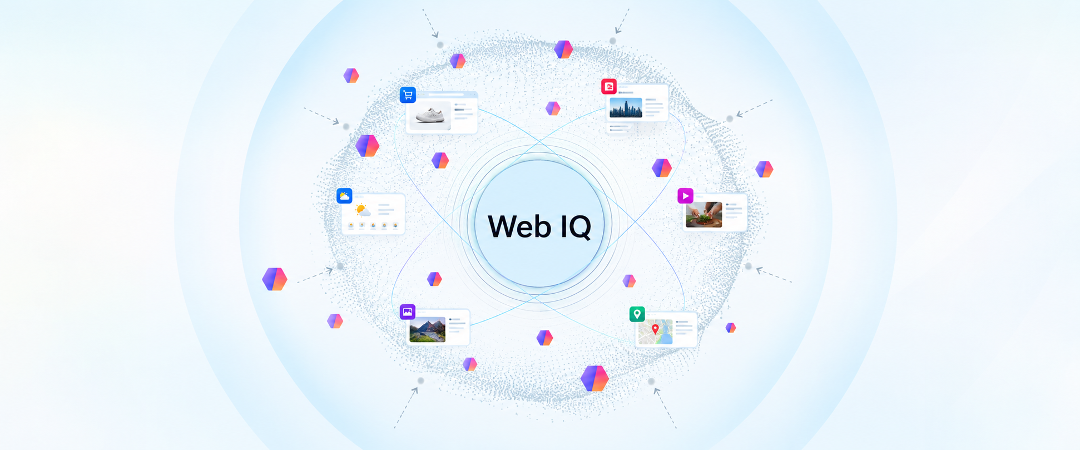
Ignite week is here, and it's a big one for Web IQ. On the Bing Blog today, Jordi Ribas shared the headline news. Web IQ is now available to all Azure customers with new, lower pricing, and we're making it more capable with Auto, Auto Advanced, new Weather, Places and Commerce data, and support for health scenarios.
This post is the builder's companion and is the first in an upcoming series of Web IQ deep dives. This post will covers what shipped, how each piece works, what it costs, and the limits worth knowing before you put it into production. The highlights, before we dive in:
- Auto is the new default way to call Web IQ. One request understands the agent's intent, fans out across Web, News, Images, Videos, Local and Weather, and returns only cited passages. For harder questions, Auto Advanced does iterative retrieval passes.
- Agents get structured knowledge, not just web pages. Weather and Places are generally available, and Commerce enters private preview with more than 40 billion offers.
- Control what agents ground on. Scopes lets you include or exclude sources by name at no extra cost. Premium Content allows you to enrich retrieval with our catalogue of premium publishers or bring your own licensed data in the same ranked response as web results.
At a glance
|
Capability |
What's new |
Status |
|
Auto |
One call, multi-source retrieval with cited passages |
Generally available |
|
Auto Advanced |
Iterative retrieval for complex questions |
Generally available |
|
Weather |
Current conditions, forecasts and government warnings |
Generally available; through Auto |
|
Places |
Structured data on more than 207 million places |
Generally available |
|
Commerce |
Structured product and offer data |
Private preview |
|
Health |
Health-aware ranking plus source filtering |
Generally available |
|
Scopes |
Named include and exclude lists for sources |
GA on Web and News; preview on Auto |
|
Web, Images, Videos, News |
Lower list price |
Generally available |
|
Browse |
Lower list price |
Generally available |
If you prefer learning through building, you can go ahead and:
If you happen to be at Ignite, do check out
- BRK295, "Web IQ: The new search engine for agents," for demos of Auto and more.
- BRK309, "Optimizing AI agents to meet your goals: Grounding with Web IQ," with Knut Risvik, to go deeper on how Auto and Scopes work.
For the rest of us, grab a coffee, put your agents on autopilot, and let’s dive in!
You bring the questions. We bring the research loop.
If you build grounding for an agent, you know the pattern: Plan the next search. Select the right sources. Gather results. Assess the evidence. Find the gaps. Search again. But every turn adds model calls, tokens, network round trips, and cost—not to mention orchestration code you build and maintain. Web IQ Auto brings that entire web-research loop into a single endpoint with two easy to use modes, so you can delegate search.
With Web IQ Auto, a single call with a complete natural language question can convey your agent's intent. For example, ask "What is the latest price of crude and what is driving it?", and Auto selects the right underlying sources for the query and returns an array of evidence objects (text, image, video, weather or time zone) with the citations that support it.
Some questions cannot be answered well in a single retrieval pass. This is where Auto Advanced helps. It checks whether the evidence it has gathered at each pass is sufficient, rewrites the query to fill gaps and runs additional retrieval passes before returning cited evidence. You spend less time stitching retrieval steps together and more time on how your agent answers, explains and acts. All you need is, is to set "mode": "advanced".
For more control over your results, you can use responseFilter to limit which evidence types are eligible, and maxResponseLength to cap the total size of the evidence (max 30K by default, with increased limits available for Azure managed customers).
Better sources, for real-world tasks
Web pages typically give agents unstructured prose they must extract and interpret. Web IQ's passages contentFormat returns only the relevant tokens. For some domains, however, structured data is a much better fit: agents can reason over it directly, and you write less parsing code. At Ignite we're adding three new knowledge domains to Web IQ: Weather, Places, and Commerce, with more formats on the way soon.
Give agents structured data for real-world tasks with Web IQ Weather, Places, and Commerce (private preview).
Weather
Weather is one input into many decisions: which customer sites a maintenance crew should visit tomorrow, which deliveries could be hit by severe weather this week, whether Thursday's event should move indoors.
Web IQ Weather brings Microsoft's award-winning weather intelligence into the same Web IQ Auto API we introduced earlier, with structured data for current conditions, daily forecasts for the next seven days, hourly forecasts for the next 24 hours, and government safety warnings that help agents account for potential disruptions.
Coverage spans 243 countries and territories, backed by 140,000 observation stations. Standardized government warnings cover 65 countries, precipitation forecasts update every 5 minutes, and weather forecasts update every hour.
Simply set "responseFilter": ["weather"] when you use Auto to get started to get only weather results, or leave it open for a richer context set for your agent.
Places
Location-aware agents need the right address, phone number and opening hours, not a paragraph scraped from a directory page. Web IQ Places returns structured information on more than 207 million businesses, landmarks, attractions and service-area businesses across more than 200 markets, using Places-specific retrieval and ranking and a compact, model-ready schema. Core details include addresses, phone numbers, hours and coordinates. Selected richer content is returned where available and varies by place and market.
Commerce (Private preview)
AI shopping answers are only as good as the product data behind them, and scraping product pages runs into latency, hidden pricing, unreadable page structures and bot blockers. Web IQ Commerce gives agents structured product and offer data drawn from more than 40 billion offers, including product IDs, images, descriptions, price, availability and offers from multiple merchants.
Today, we introduce two Web IQ Commerce APIs in private preview: Commerce Search API turns a shopping request into ranked products with price, availability, merchant and link. Commerce Offers API returns every eligible buying option for an item across merchants, with price, shipping, availability and data age. Request access to the private preview here.
Health
Health agents need to ground on credible sources, and general web ranking is tuned for relevance and freshness rather than source quality. Web IQ now automatically identifies health-related questions and applies health-aware ranking that prioritizes credible health sources, using source-quality signals informed by principles published independently by the National Academy of Medicine. Pair it with Scopes to limit grounding to sources you choose, such as government health sites or medical journals.
Web IQ Health is designed for consumer and member health information and education, such as health plans, digital health providers and consumer health apps. It is not intended for individualized medical advice, diagnosis or clinical decision support.
Note: Web IQ is not covered by Microsoft’s BAA, so Protected Health Information (PHI) should not be disclosed in queries.
Enterprise grade controls over your agents grounding
Scopes
Open-web grounding can pull from sources your organization does not want to consume for a variety of reasons, and filtering results from the response payload will impact the quality of your response. Whether you’re grounding only on approved sources in a regulated workflow, applying a tenant-wide block list of restricted domains, or building an agent that searches only your company's own sites - Scopes allows you to avoid this trade off by applying your constraints the retrieval call itself with minimal latency trade off.
Get started by creating a named list of included and excluded sources that you can create directly in the Web IQ portal or through a REST API, then pass its name as scopeName on your API request. Each scope can hold up to 10,000 included and 10,000 excluded selectors. A selector can be a domain (which also matches its subdomains), a path prefix such as docs.example.org/products, or an exact https://URL. Wildcards, ports and query strings aren't supported today. When rules conflict, exclusion wins over inclusions.
By default, the call fails if the scope can't be applied. If you want a more graceful failure, you can set failOnMissingScope: false to fall back to an unscoped search and then check scopeApplied in the response to see if it was applied.
Creating and editing scopes through the API needs a separate Microsoft Entra grant (CustomerApiAccess on your Web IQ billing account), so a search API key can use a scope but can't create one. And allow time for edits to take effect: changes typically propagate in under 30 minutes, with no SLA.
Zero Query Logging
Zero Query Logging lets customers with regulatory, or compliance requirements request suppression of query text from service logs. Operational and billing telemetry remains, and each use case is reviewed. Request it through Web IQ support (aka.ms/microsoft-webiq-support).
Trust you can rely on
Because Microsoft builds and operates its own index, we control how content is discovered and sourced, and every result links back to its original source. Bingbot, our publicly identified crawler, honors robots.txt, and since October 30 publishers can set page-level preferences for AI grounding.
Where to get started
The fastest way to build Web IQ powered agents is using the Foundry Responses API, where Web IQ now powers the web search tool, replacing Grounding with Bing with broader integration across Foundry experiences rolling out in 2027.
In addition to the REST API, Web IQ also supports MCP integration, so you can configure it as a custom MCP tool in Foundry, or to any MCP client that supports remote HTTP servers, such as VS Code or GitHub Copilot CLI.
If you’re ready to start integrating it into your code, install with pip install webiq (Python 3.11 or later) or npm install Microsoft/webiq (Node.js 22 or later). Both accept an API key or any Azure Identity credential, such as DefaultAzureCredential. The SDKs cover Web, News, Images, Videos and Browse today; call Auto over REST.
More helpful resources
We can't wait to see what you build. Share your questions and feedback in the comments below, and we'll keep you posted as more of this roadmap lands.

 Microsoft