windows
4 TopicsWhen the audio pipeline decides to act up 😂🤌
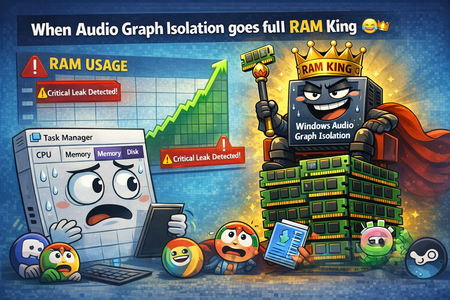
Ever since build 2820.x.x.x, I’ve been keeping an eye on one specific process — Audio Graph Isolation. And this little troublemaker 😂 sometimes decides it wants to “spice up your day.” Not by taking a few MB of RAM… Oh no, no — it goes straight for several gigabytes 😂 So you’re just sitting there, wondering why your system suddenly starts lagging, why the audio sounds like a corrupted Star Trek transmission after a virus attack 🙈😂 You open Task Manager, sort by RAM usage… And there it is, grinning at you, Audio Graph Isolation, quietly turning your system into its personal victim 🙈 How to deal with it until Microsoft finally fixes this regression? Honestly — the only thing that works is: 👉 force‑killing Audio Graph Isolation in Task Manager And boom, your system instantly gets its speed back. Unfortunately, because of this regression, you have to keep an eye on this process regularly, since the RAM leak can happen anytime during idle — whether you’re watching a movie, listening to music, or the system is just running with no user input.300Views0likes2Comments
Windows 11 Insider Preview Update Progress Issue
I tried to update and install one Windows update, but it keeps on showing as 0% or 8% and it is not progressing after 8%. I tried necessary trouble shooting steps like pausing the update for some time and then trying again. But it didn't work out. The update that I trying to update and install is "Cumulative Update for Windows 11 Insider Preview (KB5067103) (26220.6780)" It shall be great if anyone respective person can assist me with this issue.231Views1like3CommentsWhy Windows Should Adopt ReFS as a Bootable Filesystem
ReFS could become a bootable filesystem — it only needs a few missing layers. No need to copy NTFS, just implement what the Windows boot process requires. Key missing pieces: System‑level journaling (not only metadata) Full hardlink + extended attribute support EFS, ACLs, USN Journal for security + Windows Update Boot‑critical atomicity for safe system file updates Bootloader‑compatible APIs (BCD, BitLocker pre‑boot, WinRE, Secure Boot) Goals: Use NTFS as a reference map, add the missing capabilities to ReFS, and optimize them using ReFS features (copy‑on‑write, integrity streams, block cloning). Result: A modern, resilient filesystem that can finally boot Windows - without losing its benefits.200Views1like7Comments