windows11
81 Topics
Can you recover deleted files after emptying the recycle bin?
I recently encountered a problem where I accidentally emptied my Recycle Bin on my Windows 11 PC, and lost several important files that I hadn't intended to delete. I understand that once the Recycle Bin is emptied, the files aren't easily recoverable, but I’m hoping there might still be a way to get them back. Has anyone else experienced this issue and successfully recover deleted files after emptying the recycle bin? I’ve read that it might be possible to recover deleted files using specialized data recovery software. If anyone has recommendations for reliable tools or methods that can help retrieve files after they’ve been permanently deleted, I would greatly appreciate your advice.Solved85KViews1like14CommentsI want to be able to group app icons on Start menu - Windows 11
for example I want to put PWAs icons in one group, put Photo related app/software icons in another group and so on. Ideally I want to do this by dragging an icon on start menu and dropping it on another icon to form a group - Windows 11 insider Upvote in feedback hub: https://aka.ms/AAdps2r28KViews27likes22CommentsClearing WPAD cache and settings (solution)
Hi all, I want to share the solution to clear all WPAD cache and settings on a Windows 10 or 11 machine. Step 1: Regedit Computer\HKEY_USERS\S-1-5-19\SOFTWARE\Microsoft\Windows\CurrentVersion\Internet Settings\Wpad: delete all underlying keys Computer\HKEY_CURRENT_USER\SOFTWARE\Microsoft\Windows\CurrentVersion\Internet Settings\Connections: delete the keys "DefaultConnectionSettings" and "SaveLegacySettings" Computer\HKEY_LOCAL_MACHINE\SYSTEM\CurrentControlSet\Services\WinHttpAutoProxySvc: in the value "start", change the data value from "3" to "4 Step 2: Internet Options Advanced tab > Reset Internet Explorer Settings (incl Delete personal settings) > Reset Step 3: CMD as admin ipconfig /flushdns Step 4: reboot the machine twice Clearing the WPAD can be useful when getting this output from dsregcmd /status "Auto Detect PAC Status : Failed to auto detect the Proxy Auto-Configuration (PAC) script using WPAD. code: 0x80072f94" (Hybrid Azure AD Join Failure)21KViews0likes0CommentsWindows 11: Turn the "Show more options" context menu into a slide down menu
Turn the "Show more options" context menu into a slide down menu and show those extra options in modern style Change the Windows 11 context menu so that when user clicks/taps on "show more options", the context menu expands and the rest of the options become visible in the same modern style with a sliding down animation, possibility with the ability for user to scroll up/down through the options (with mouse wheel or touch). Upvote this feedback in feedback hub: https://aka.ms/AAd53qz17KViews5likes4CommentsWindows 11 visual change contains transparency for Edge, make it available for the entire UI
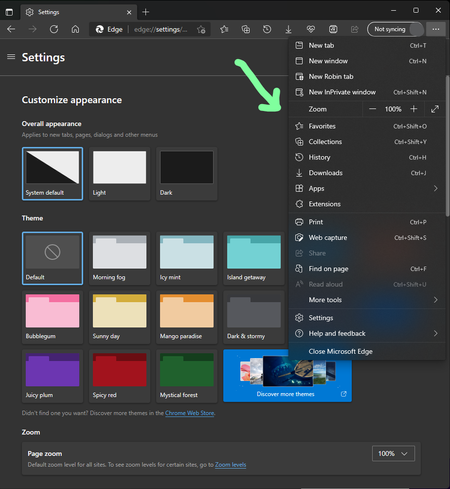
If you install Windows 11 latest version from Windows insider and have the latest Edge canary, you can enable this flag, restart your browser and see the new changes in the Edge UI. edge://flags/#edge-pc-ui-integration Edge menu on the right is transparent as well as right-click context menu on different parts of Edge, they are really nice, but the rest of the settings page is still in the old gray style. I know it's still work in progress, but I hope once Edge developers are done with it, they complete the transparent page for Edge and don't leave it like this. the toolbar and title bar also should be transparent too. hopefully Edge's settings page will eventually look like Windows 11's settings page.14KViews3likes0CommentsAdd Cryptocurrency Watchlist Widget to Windows 11 Widgets, more useful than stock market watchlist
I need a Windows 11 Widget that tracks and shows prices for Cryptocurrencies, not the regular stock markets. if you're interested, please upvote this in feedback hub: https://aka.ms/AAddmqf11KViews1like0Comments